Use rack labels, manuals, product codes, and the current parts catalog to identify a replacement without relying on visual similarity.
On this page
How to Identify the Correct Replacement Roof-Rack Part
When a rack component is lost, worn, or damaged, identify the rack and the part before ordering. A replacement leg, clamp, lock, cover, spacer, or fastener can look similar to another item while belonging to a different product generation or vehicle application. Matching color, shape, or dimensions alone does not establish compatibility.
Record the system before searching
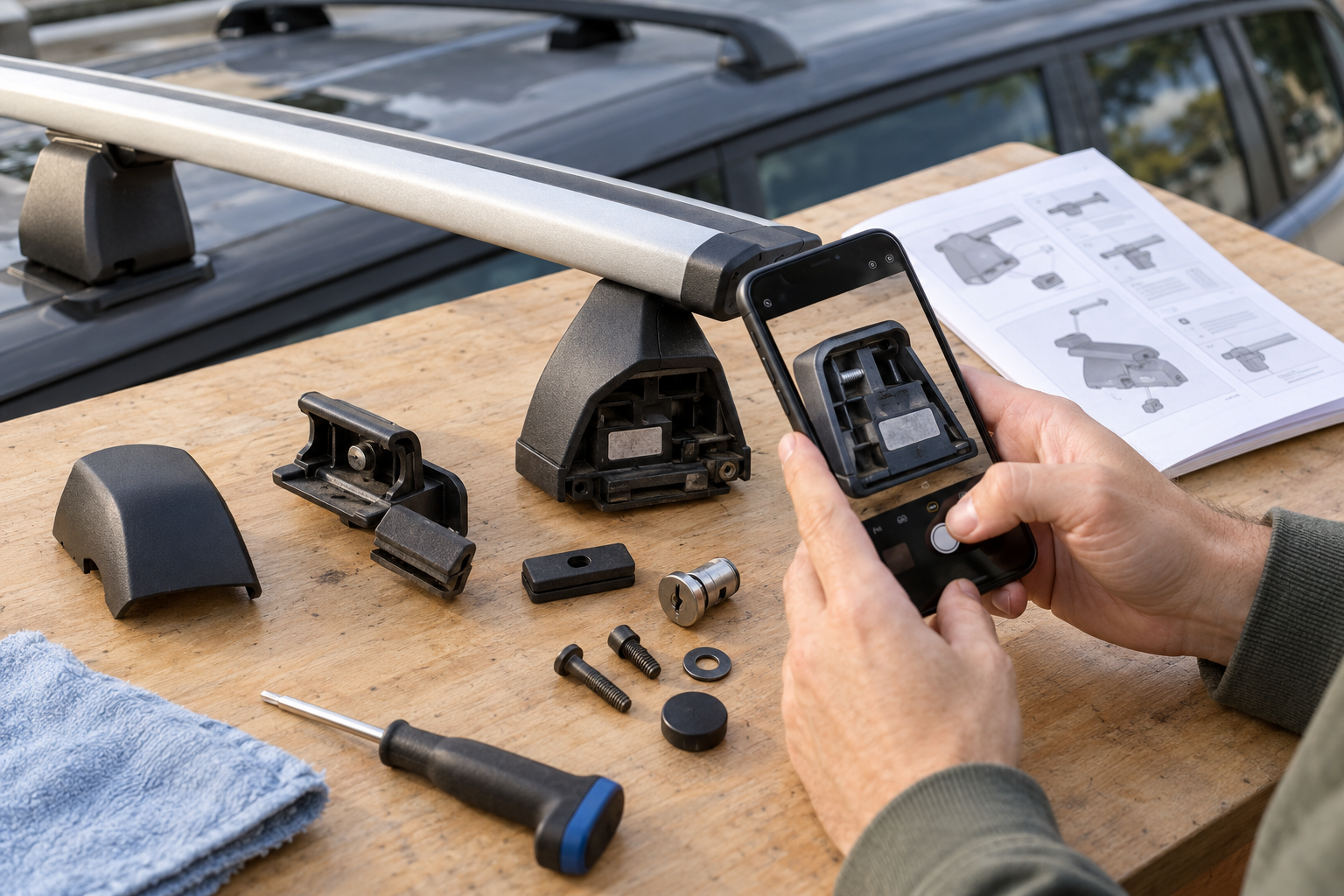
Start with the whole setup, not just the loose or missing piece. Photograph the rack from several angles and record:
- The manufacturer, product family, model name, and any generation or product code on the rack, box, accessory, or fitting instructions.
- The exact component and where it sits: for example, a foot, vehicle-specific pad, bar end cap, accessory clamp, lock core, or platform channel part.
- Any part number, serial number, key number, label, or instruction document number.
- The vehicle’s market, year, make, model, trim, and roof configuration when the component attaches to the vehicle.
- Which pieces are present, missing, damaged, or included in the proposed replacement kit.
Keep these details together. A rack can contain both reusable system parts and vehicle-specific feet, pads, clamps, or fitting kits. The name of the rack alone may not identify the part needed.
Follow the manufacturer’s lookup path
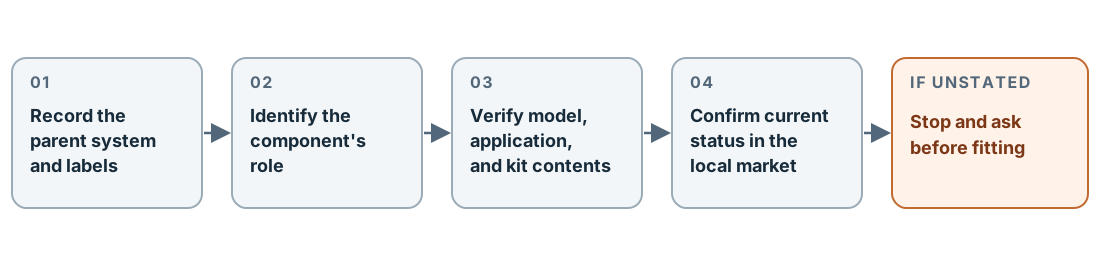
- Find the original instructions or parts diagram. Check the product label, purchase records, instruction booklet, and manufacturer support page. Use the part number and system name shown in the applicable document.
- Search the current catalog by product identity. A catalog category helps you locate a part family, but the product page or instructions must connect the candidate part to your exact rack or accessory.
- Check the application and kit contents. Confirm the parent system, generation, vehicle application, orientation, quantity, and whether pads, clamps, locks, or fasteners are included separately.
- Confirm market and current status. A part may have a different listing, support path, or availability in the United States, Canada, or the United Kingdom. Ask the local manufacturer or dealer about a discontinued or superseded item.
- Stop if the relationship is not stated. Ask the manufacturer or an authorized rack dealer to identify the component before fitting it.
Rhino-Rack’s US FAQ directs owners to find part numbers in the product’s fitting instructions or ask a local dealer to identify and order the part. For kit parts reported missing from a new product, the FAQ directs customers to Rhino-Rack customer service. Yakima’s US spare-parts page lets owners find an older product through its archived-product option and search a known seven-digit part number beginning with 8. In the UK, Yakima’s FAQ routes replacement-part and key orders through retailers. Use the support route for the market where the product is being serviced.
For a Thule Motion 3 roof box, the instructions identify a product-specific “BA No.” sticker inside the lid for spare-part questions and direct owners to original spare parts through a specialist stockist or Thule. That identifier is specific to the Motion 3 instructions; it is not a general part number for every Thule rack or box.
Read catalog examples as boundaries
Manufacturer listings show why the exact parent system matters. Rhino-Rack lists SP321 as a replacement leg for RLKVA or 2500-series racks, while stating that its locking cover, pad, and clamps are excluded because those parts are vehicle-specific. Its DK512 listing describes a four-pad, four-clamp replacement kit for 2500 two-bar systems. A Rhino-Rack kayak-carrier clamp plate, SP125, is listed for S510, S512, and S512X carriers. Each is a bounded product example, not approval for a different generation or an unidentified installation.
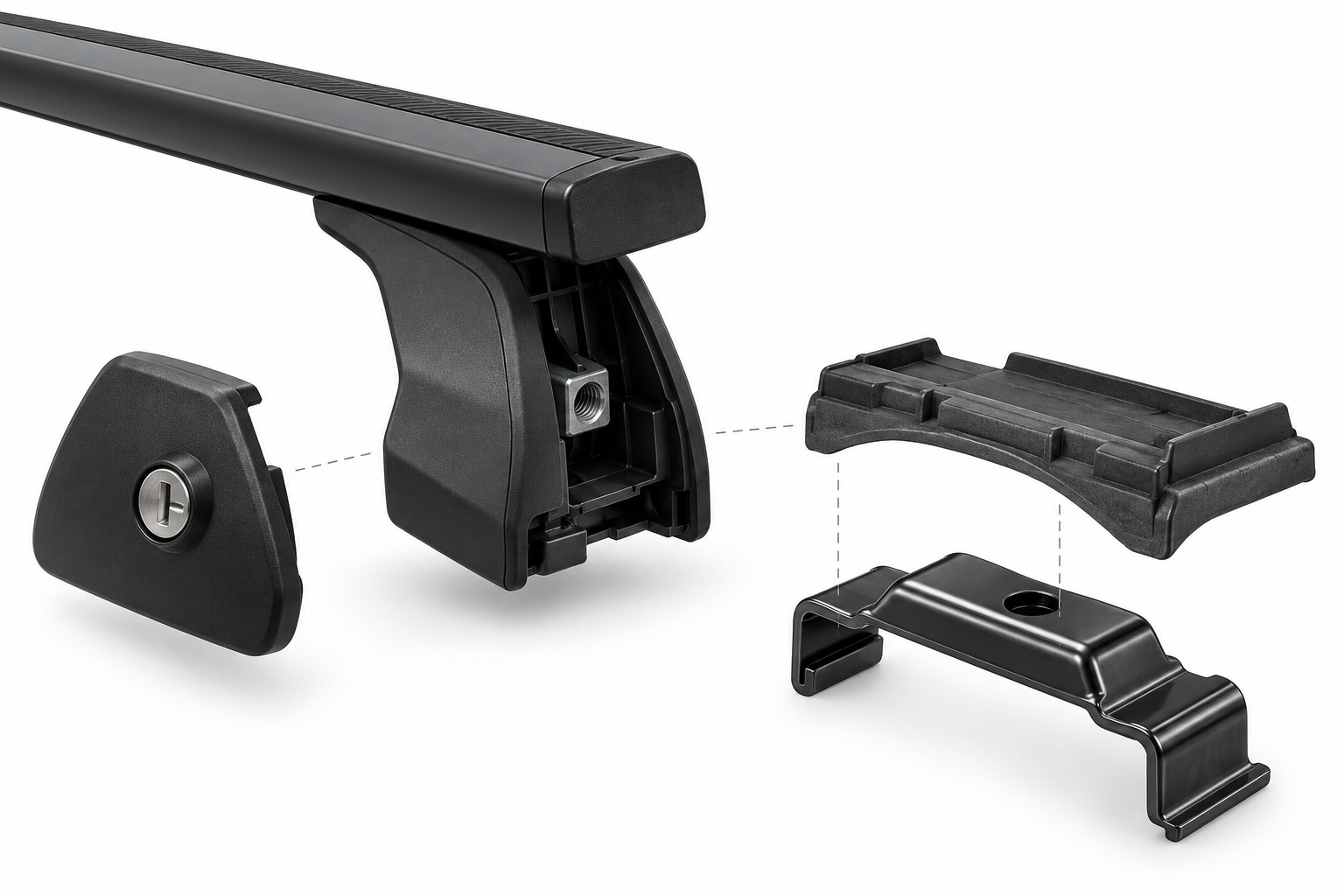
If the listed replacement includes only one leg or clamp, do not assume it contains the other pieces needed to complete the vehicle attachment. If a listing gives a parent model or a short list of compatible products, treat that list as its limit. Catalog membership is not a vehicle fit result.
Check before ordering or reinstalling
Compare the part number against the instructions for the complete rack or accessory. Confirm that it performs the same role, belongs to the stated product family, and is the current part or an explicitly listed successor. For structural or load-bearing hardware, confirm the exact thread, interface, material, and tightening procedure in the applicable instructions; a similar bolt or nut is not a safe substitute by size alone.
Ask about current stock, returns, installation, and product support before checkout. Rhino-Rack’s US spare-parts hub currently says spare parts are not eligible for returns, so verify the identification and current purchase terms first. Policies in other markets may differ. Warranty eligibility is also separate from physical compatibility: use the current local warranty terms for a claim, and do not use warranty status to decide whether a rack or part fits.
If the component is cracked, bent, corroded, missing from a mounting point, or still unidentified, do not carry a load on the affected system. Keep the rack and loose hardware together, share the photos and product codes with the manufacturer or qualified dealer, and wait for a documented replacement path before returning it to service.
Sources and product references
Use these references to check the current instructions and fit information for your market and exact setup.
- FAQsprimary
- Roof Rack Spare Partsprimary
- Legs, Covers & Backbones Spare Partsprimary
- Bike & Water Accessories Spare Partsprimary
- Spare Partsprimary
- Thule Motion 3 Instructionsprimary
- DK512 - 2500 Fitting Kitprimary
- Frequently Asked Questionsprimary