Read the vehicle, product, status, measurements, load fields, and instructions on a fit-guide result as separate pieces of information. Manufacturer status terms vary and should not be collapsed into a universal yes or no.
On this page
How to Read a Roof-Rack Fit Guide Result
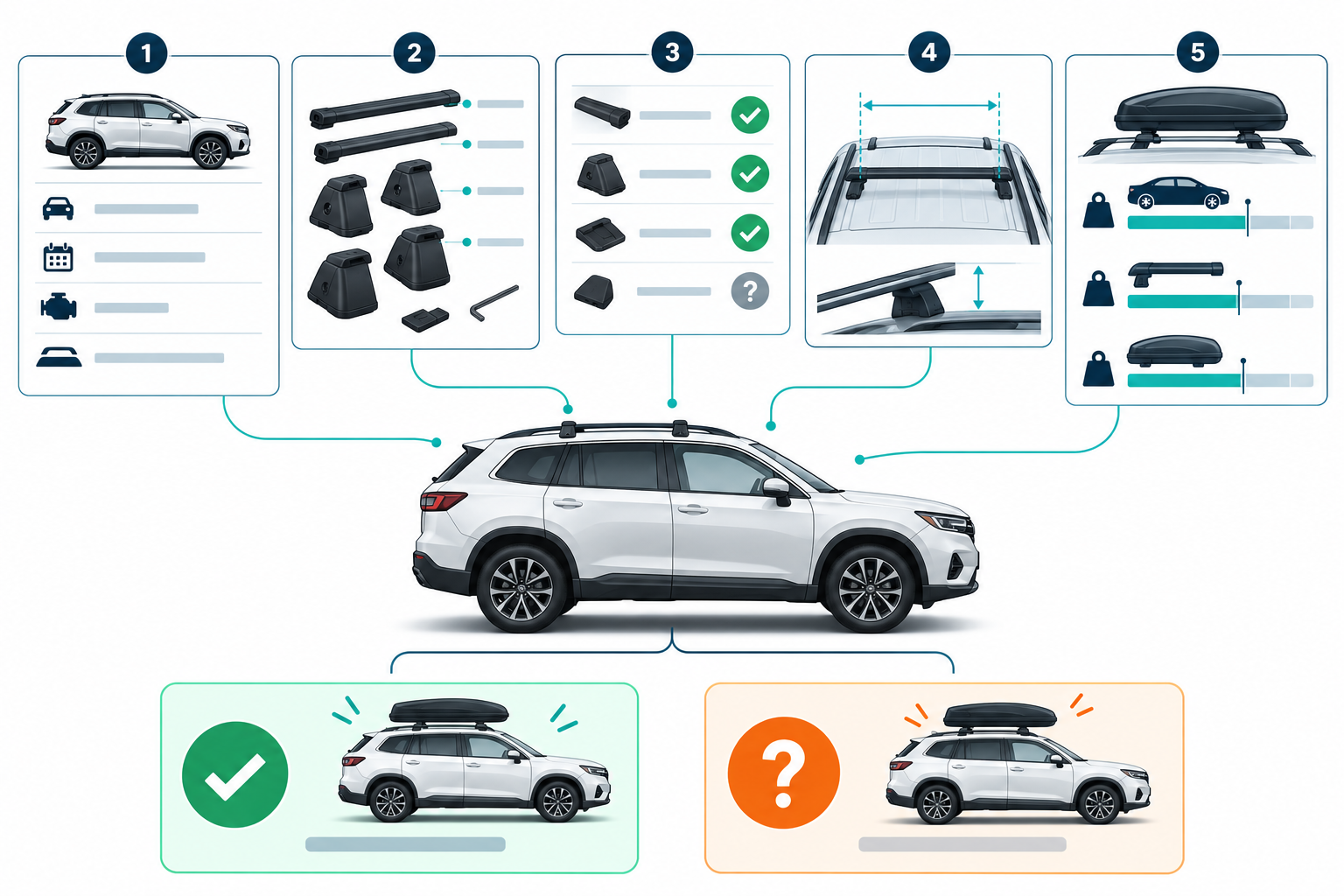
A fit-guide result is more than a green or red badge. It should connect one selected vehicle configuration to specific rack parts and, when relevant, an accessory. Read the status, product identity, measurements, limits, and installation documents together before you buy or load anything.
Confirm the selected vehicle first
Check the selected country or market, model year, make, model, body or generation, trim, and roof type. Confirm that the selected roof matches the hardware on your vehicle, including factory rails or crossbars and any roof-feature notes. A correct product under the wrong vehicle selection is not a usable fit answer.
Fit tools may expose more detail than a broad vehicle name. Yakima’s Infolookup separates year, make, model, and fit, and its output can include product groups, required or optional accessories, notes, measurements, and load-rating fields. Other makers may organize that information differently.
Treat status words as brand-specific
The label needs its maker’s definition. For example, Yakima’s current lookup describes several distinct states:
| Result wording | What it tells you | What to do next |
|---|---|---|
| Still being evaluated | The fit has not been finalized in that lookup. | Wait for an updated result or ask Yakima about the exact configuration. |
| In development | The fit is being worked on but is not presented as a completed fit. | Do not buy on the assumption that the future result will approve your setup. |
| In production but not yet available | A fit is not currently available for use or purchase through the stated path. | Check the maker’s current availability and instructions. |
| Reference only | Some or all products shown may be obsolete. | Identify current replacement parts and confirm the complete setup. |
| Custom installation | No out-of-the-box solution is shown for the configuration. | Follow the maker’s custom-installation route and use a specialist where directed. |
Thule’s US kayak and canoe category says “No confirmed fits” can mean a combination is unsupported or simply has not been measured. It tells shoppers to double-check measurements and requirements for products marked “Unconfirmed.” Those are Thule-specific explanations, not a universal definition for every catalog.
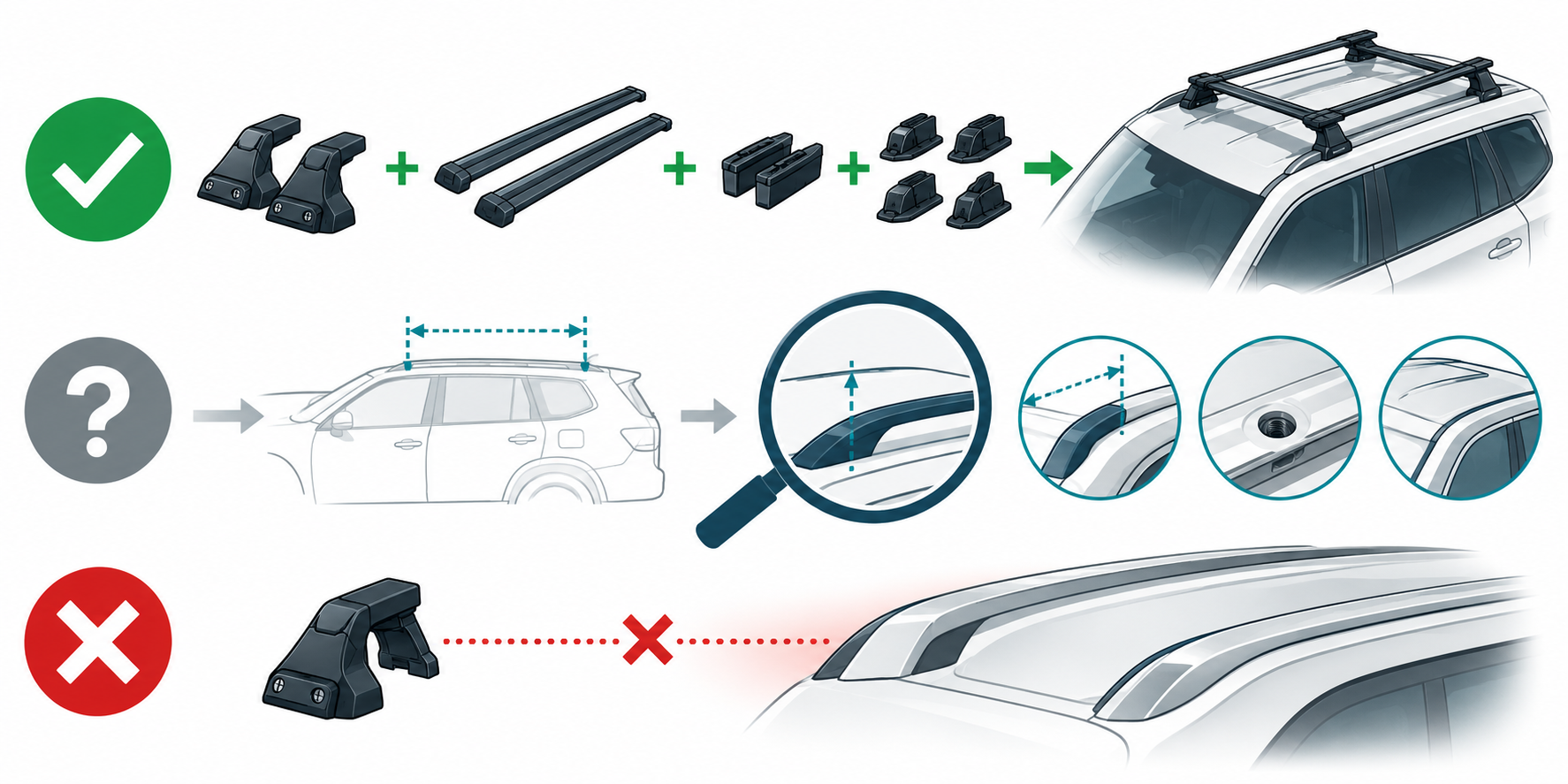
An empty search can mean a product is absent from that maker’s current catalog, the selected options are incomplete, or the fit has not been evaluated. It does not automatically establish a universal no-fit result. Conversely, a general product description or “universal” wording does not establish a fit for your vehicle. If the maker gives an explicit no-fit result for a specific product and configuration, do not override it with a similar-looking roof or another brand’s result.
Check the product path and fit details
Read each part in the result. Identify the base rack, bars, feet or towers, vehicle-specific fit kit, and any adapter or optional part that the instructions require. Then check the carrier or cargo product against the selected bar or platform. Base-rack fit and accessory fit are separate relationships.
Look for measurements and installation details such as crossbar spread, usable bar width, attachment points, clamp positions, or clearance. A product may fit a bar family but still require a specific adapter or vehicle instruction. For example, Thule’s US page for its Hull-a-Port Aero names a SquareBar adapter requirement and directs the shopper to select a vehicle for installation instructions. That product-level interface does not confirm a fit to a particular car.
Read load fields in context
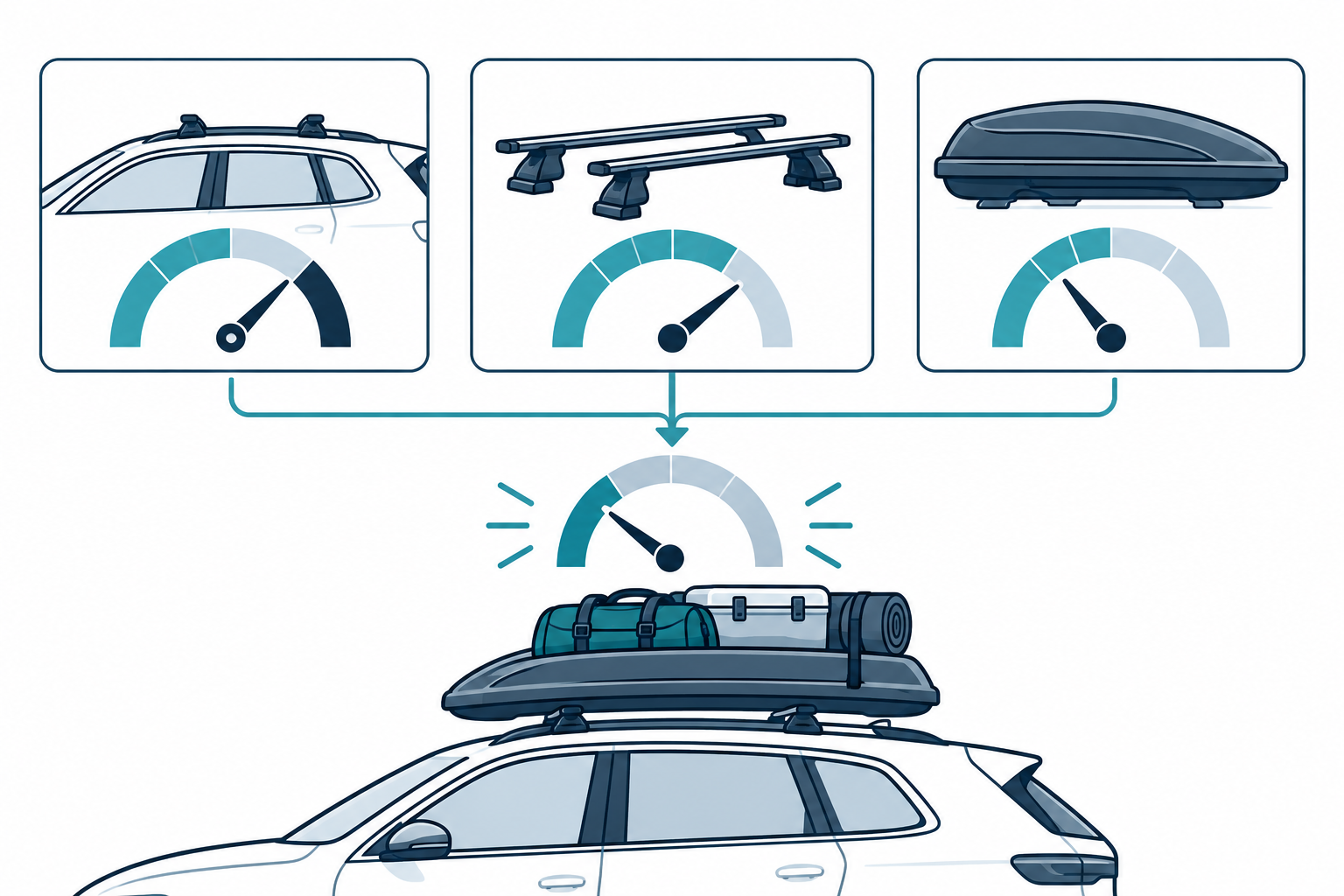
Do not read a carrier’s capacity as the vehicle’s roof-load allowance. Compare the relevant vehicle, base rack, and accessory instructions. Check whether their stated figures include bars, feet, carrier, and cargo, and calculate the remaining allowance using the exact definitions supplied for your setup. Use the most restrictive applicable limit; do not borrow a rating from a similar model or another market.
Decide whether the result is complete enough
Before purchase, you should be able to answer:
- Does the selected vehicle match my actual market, year, body, trim, and roof hardware?
- Are all rack components, accessories, adapters, and required instructions named?
- Are the measurements and clearances compatible with both my roof and the item I will carry?
- Do the current vehicle and product instructions allow this exact setup and load?
- Is any status conditional, unmeasured, custom, obsolete, or otherwise unresolved?
If one of those answers is missing, keep the result unresolved and ask the maker or a qualified fitter for the exact next step. The vehicle-fitment workflow explains how to build that complete check. For brand-specific selector steps, see Thule and Yakima compatibility by vehicle.
Sources and product references
Use these references to check the current instructions and fit information for your market and exact setup.
- Yakima Infolookupprimary
- Kayak and canoe racksprimary
- Find the right gear for your vehicleprimary
- FAQs & Fitting Timesprimary
- Everything you need to know about roof racksprimary
- Thule Hull-a-Port Aeroprimary