Locate the Polestar 2 door-frame mounts, position the Polestar load carriers, use the supplied torque-indicating tool, and perform the prescribed checks.
On this page
2025 Polestar 2 Load-Carrier Installation
Polestar’s 2025 US manual describes installation of the Polestar 2 load carriers using the door-frame mounting points and the position decal under each carrier. This is not a fit approval for another brand’s rack or a different Polestar model. Check the current vehicle and carrier manuals, the parts in your kit, and the vehicle’s roof-load limit before starting.
Prepare the carriers and roof
Read the full installation instructions and warnings first. For an initial installation, the manual says the strip must be cut to the correct length. Pull the T-track strip apart, place it in the carrier, and point the strip arrows toward the front of the vehicle.
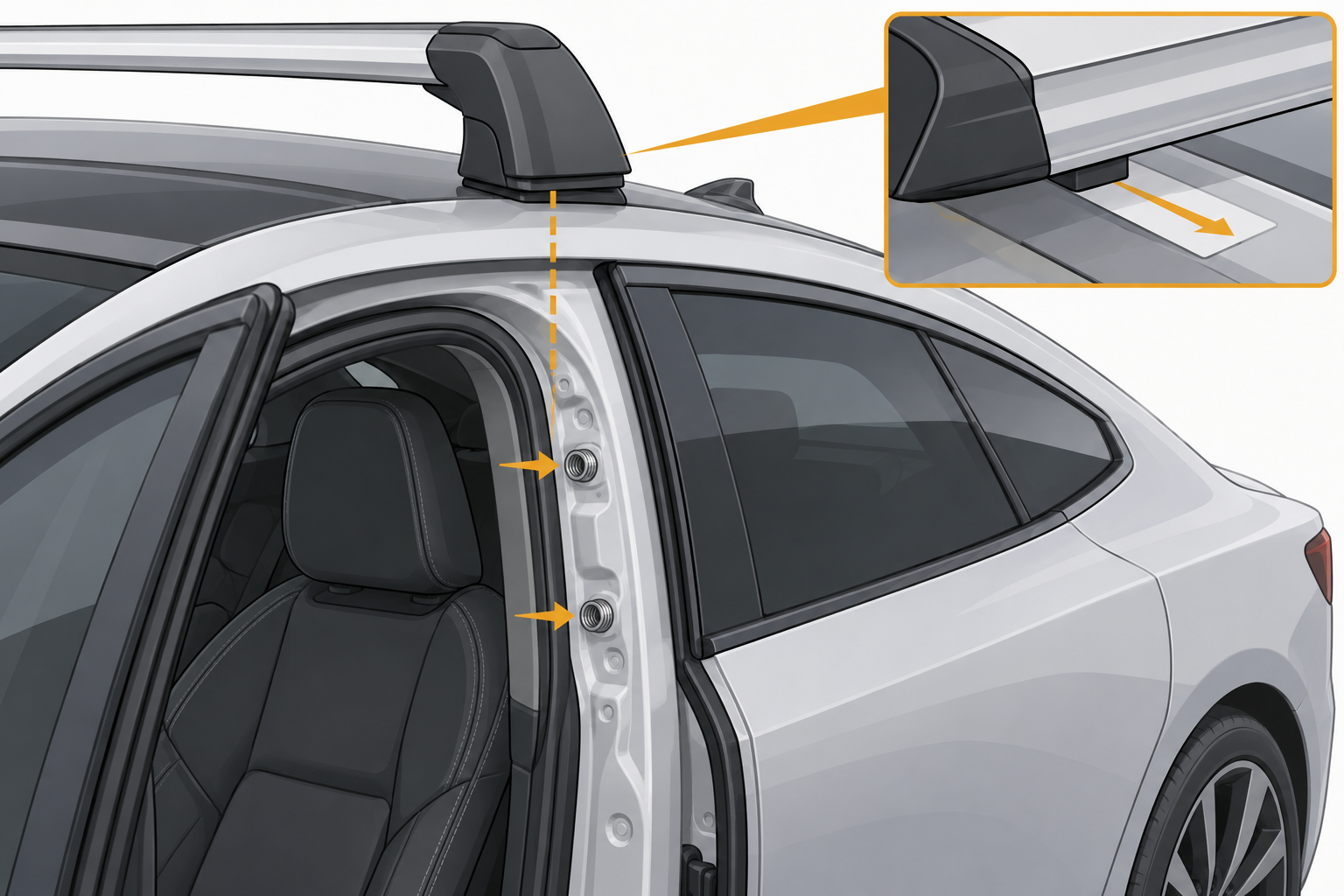
Open the doors and locate the mounting points in the door frames. The 2025 guide identifies two rivet nuts at each mounting location. Clean the rivet nuts and the roof area where the carrier feet and brackets will rest to help protect painted surfaces. Use the decal under the carrier to confirm its front-to-back position.
Position and secure each carrier
Unlock and open the carrier cover as instructed. Loosen the mounting-clip screws slightly, extend and fold up the clip, then place the carrier foot at the roof edge. Align the clip pins with the door-frame rivet nuts. The foot’s small radius must sit tightly against the corresponding curve at the top of the roof edge.
Push the clip pins into the rivet nuts and hold them in position while starting the screw. Confirm that the foot sits tightly against the roof edge and that the painted surfaces are not being damaged. Tighten the clip screw alternately on each side with the supplied tool. The manual says the tool clicks over when the correct torque has been reached; it does not state a numeric torque in this procedure. Do not replace that tool method with a guessed value from another rack.
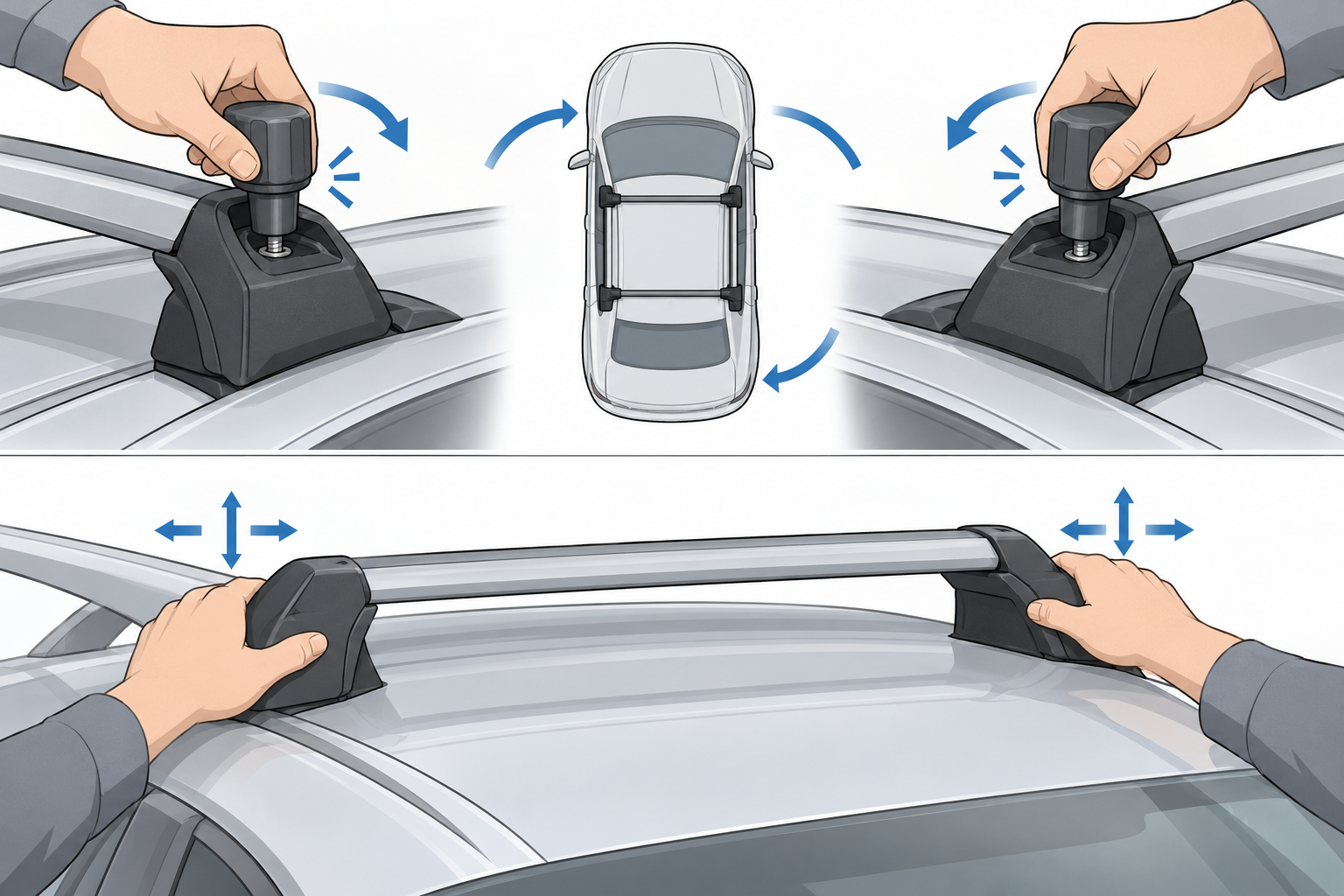
Replace and lock the covers. If you are using the T-track kit, follow its separate instructions for that interface.
Check the load and recheck the installation
Polestar defines maximum roof load as the combined weight of the unladen carriers, accessories, and cargo, subject to the vehicle’s limit. The 2025 load-carrier page does not give a numeric vehicle roof limit. Find that number in the manual for your exact vehicle rather than assuming a figure from another model.
Distribute cargo evenly, keep its center of gravity low, and secure it so it cannot come loose. Check screw joints and attachments after a short distance, then at regular intervals as Polestar directs. Remove the carriers when they are not in use. If the foot does not seat, the pins do not align with the rivet nuts, or the supplied tool is missing or fails to click, stop and ask Polestar or a qualified fitter to resolve the installation.
Sources and product references
Use these references to check the current instructions and fit information for your market and exact setup.