Understand the Slimline 3 tray, its separate mounting system, named accessory interfaces, and the vehicle checks required before choosing a setup.
On this page
Front Runner Slimline 3 Platform Fit and Interfaces
Slimline 3 is a distinct Front Runner platform system with adjustable slats and its own mounting and accessory questions. The tray listing describes a 1300 × 1532 mm tray, dual top T-slots, staggered insertion points, and a 40 mm profile. It also says a separate mounting system is required to make a complete roof-rack kit. Those details help identify the product; they do not establish that it fits a particular vehicle or that Slimline II parts transfer to it.
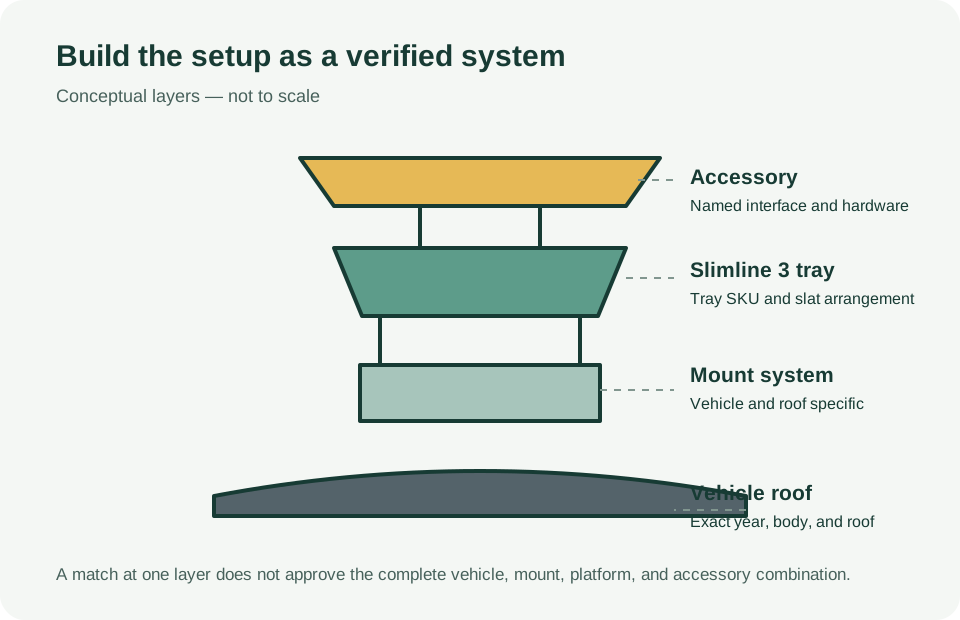
Identify the complete system
Treat the setup as a chain: vehicle and roof configuration, vehicle-specific mount, rack mounting extrusion, tray and slat arrangement, then accessory hardware. The MRSTG07 tray page is not a vehicle fit result. Before choosing it, find the current installation instructions for the exact vehicle, roof type, market, tray, and mounting kit. Confirm that the instructions name the parts you intend to buy and describe the roof surface you have.
Dometic describes Slimline 3 as available for selected vehicle models. A family overview or a retailer listing is not an exhaustive fit chart. If the selector does not resolve the exact year, body, roof, and kit combination, treat fit and load as unconfirmed and ask the manufacturer or an experienced installer to verify it.
Use the Slimline 3 interface on its own terms
The tray description says its slats can be added, removed, or shifted without dismantling the whole rack, and that the top has dual T-slot channels with staggered insertion points. Flexible slat pitch can help position hardware, but it does not make every T-nut, bolt, or accessory compatible. Check the named accessory instructions for the required channel, fasteners, quantity, placement, and tightening procedure.
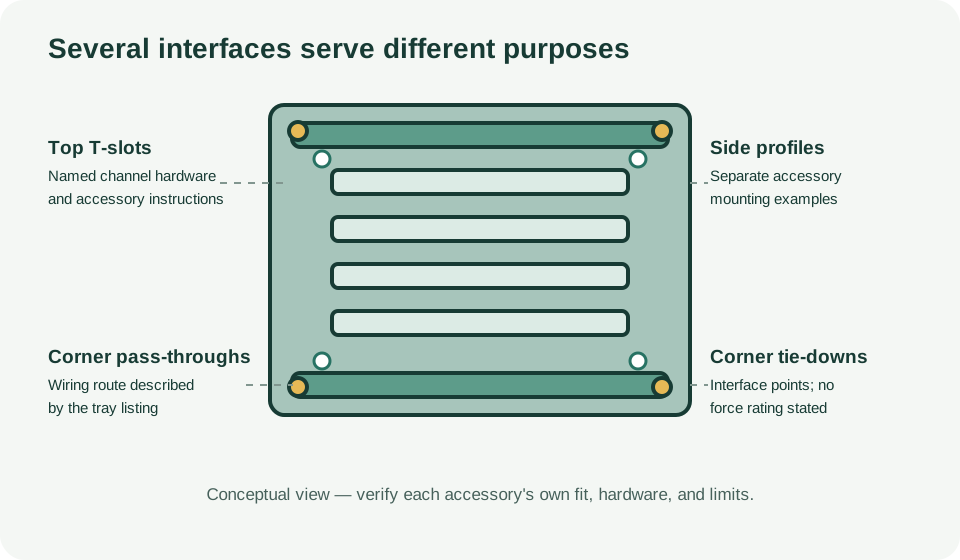
The product page also describes side-profile channels for wiring, corner pass-throughs, and four corner tie-down points. A tie-down point or channel is an interface, not a stated load rating. Do not use these features to infer cargo capacity, safe strap force, or suitability for an unlisted accessory.
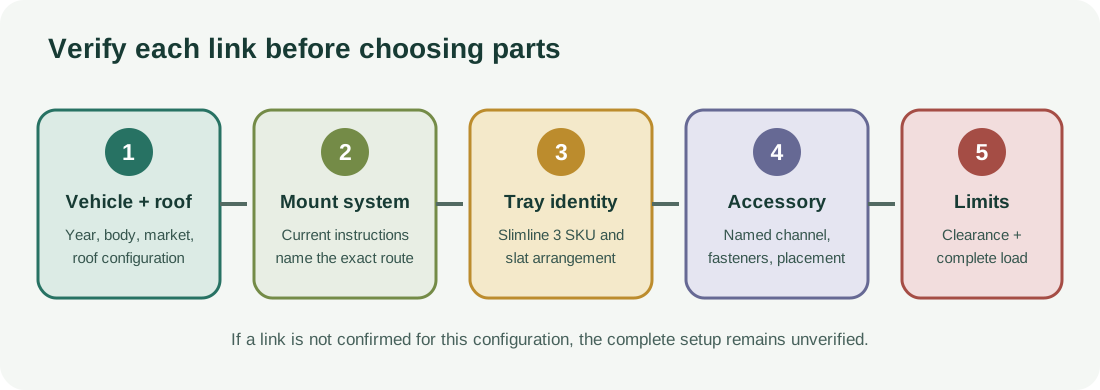
Check named accessories without generalizing them
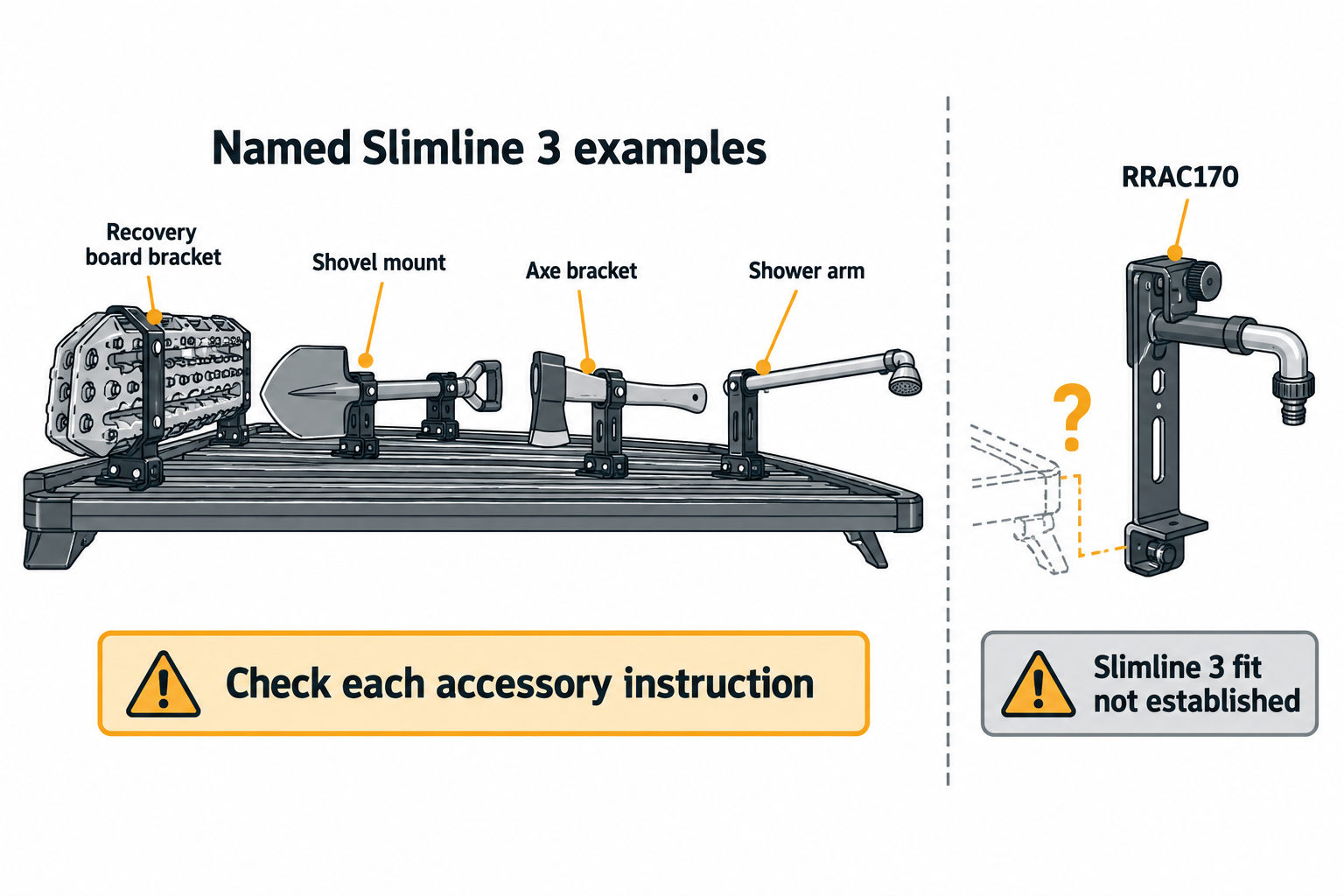
The product-specific examples show why the accessory SKU matters:
- Recovery-board bracket RRAC1005 is listed for the Slimline 3 side profile and gives named board examples and bolt arrangements. “Other similar hole spacing” is not a universal dimensional standard, and the listing gives no bracket or vehicle-system load rating.
- Shovel mount RRAC1002 describes side mounting and clearance considerations for its named application. Confirm the current fitting instructions and the exact tool and vehicle clearance; the product listing is not a full retention or vehicle approval.
- Axe bracket RRAC1009 names left- or right-slide mounting and a 12 mm handle-hole requirement. The page says drilling may be required but does not provide a universal drilling procedure or travel-load rating.
- Shower arm RRAC1010 projects 680 mm from the rack and has a stated 20 kg maximum for the arm. That is an accessory-specific limit, not permission to load the rack or vehicle to 20 kg; side clearance and lower system limits still matter.
The similarly named tap extension bracket RRAC170 is described for Slimline II, with separate routes for named Slimsport and Slimpro van racks. The cited listing does not establish Slimline 3 compatibility. Do not infer cross-generation fit from a shared brand or accessory purpose.
Resolve vehicle and load limits
The consulted Slimline 3 tray and overview pages do not establish a selected vehicle fit or a complete-system load rating. Manufacturer comparison percentages for profile, strength, or stiffness do not provide a numeric capacity or test basis that can be used to calculate one. Likewise, tray dimensions, slat channels, and a product-specific accessory rating do not replace the exact vehicle and mounting instructions.
Before travel, identify every installed component and its mass, then follow the applicable vehicle, mount, rack, and accessory limits. The lowest applicable limit governs. Check clearance with the actual accessory installed and positioned as instructed. For a tent or other parked use, verify that the vehicle, mount, and product instructions explicitly cover that use; a platform-family comparison or a static number for another system is not authorization.
Before ordering or installing
- Match the vehicle year, body, roof configuration, and market to a current Slimline 3 fitting result.
- Confirm the separate mount system and tray SKU in the same instructions.
- Match each accessory to its explicitly named Slimline 3 profile and hardware.
- Check installation position, tool/accessory clearance, and all component masses.
- Confirm the complete setup remains within the lowest vehicle and component limit.
If any link in that chain is missing, keep the setup unverified until the manufacturer or installer confirms it. For the previous generation’s named examples and limits, see Slimline II platform fit and mounting.
Sources and product references
Use these references to check the current instructions and fit information for your market and exact setup.
- Slimline 3 Tray / 1300mm(W) X 1532mm(L)primary
- Slimline 3 Roof Rackprimary
- Slimline 3 Recovery Board Side Mount Bracketprimary
- Slimline 3 Spade or Shovel Mountprimary
- Slimline 3 Shower Armprimary
- Slimline 3 Axe Bracketprimary
- Tap Extension Bracketprimary