Measure a platform's usable area and match its channels, bolts, clamps, accessory hardware, and clearance to the exact product instructions.
On this page
Roof Platform Size, Channels, and Accessory Interface Explained
Two platforms with similar outside dimensions can offer different attachment paths. A tent, awning, box, light, or work accessory must fit the platform’s actual channel or perimeter profile, use the specified bolts or brackets, and leave enough room for supports and clearance. Check the accessory first, then measure the exact platform and installed roof system against the manufacturer’s instructions.
Separate outside size from usable space
Record the platform model and generation, published length and width, overall height, and product mass. Then identify where the accessory feet or brackets must sit. Rails, corner pieces, crossbars, slats, channel ends, and existing cargo can reduce the space that is practically available. An external footprint is not a promise that an accessory of the same dimensions will mount.
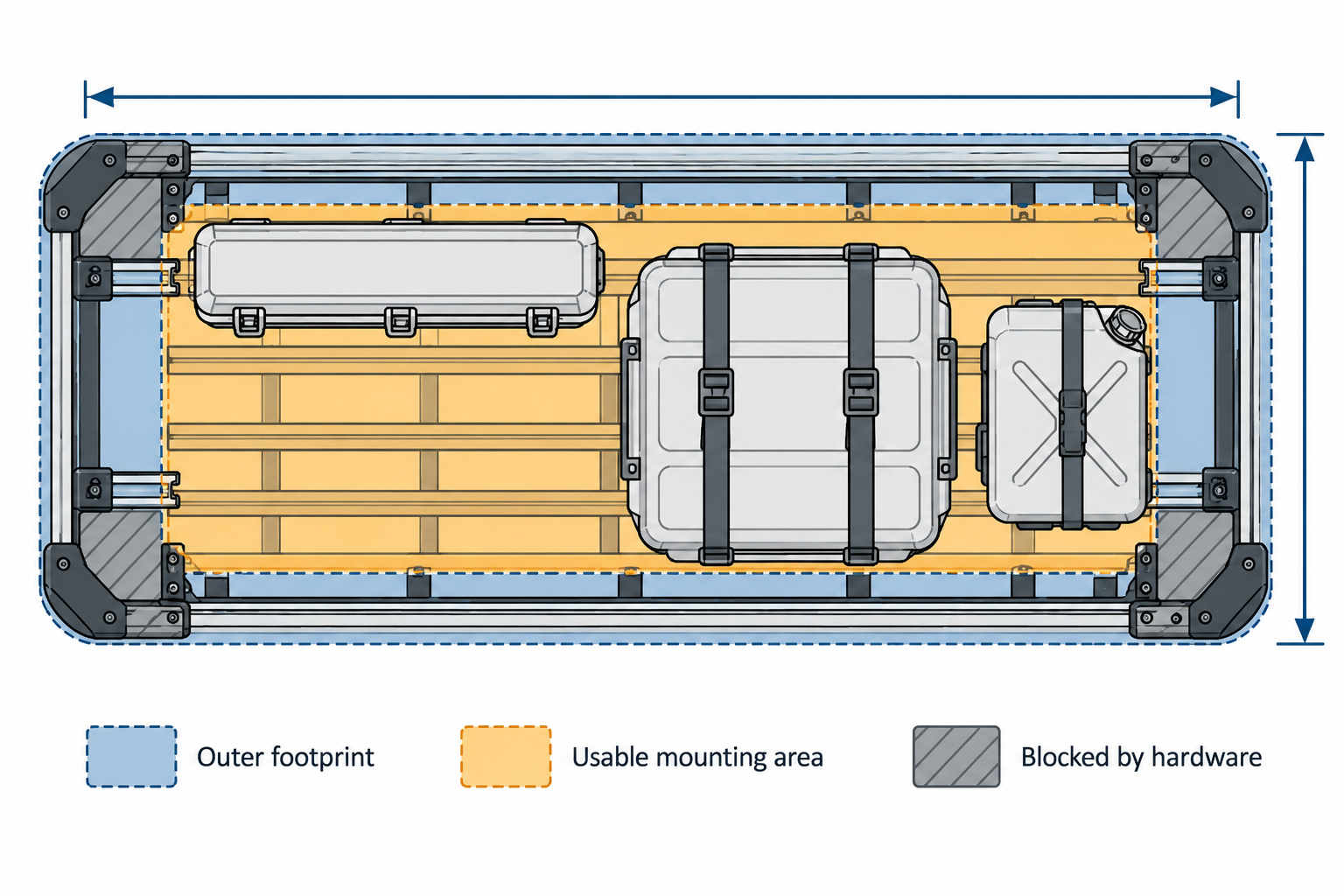
For example, Thule’s Caprock L listing gives a platform size of 59 by 74.8 inches and a mass of 62.2 pounds. Those figures describe that platform model; they do not establish vehicle fit or usable clearance after mounting brackets and gear are installed. Rhino-Rack’s Pioneer 6 listings similarly distinguish sizes such as 51 by 49 inches and 43 by 56 inches. Measure the accessory support locations on the actual configuration instead of selecting by area alone.
Identify the attachment interface
Do not treat every slot as the same standard. A manufacturer may specify a channel nut, T-bolt, clamp, backing plate, or a dedicated adapter. Compare its dimensions and installation direction with the accessory and platform instructions. A bolt that appears to fit a slot is not proof of adequate engagement, load capacity, or approval for that product.
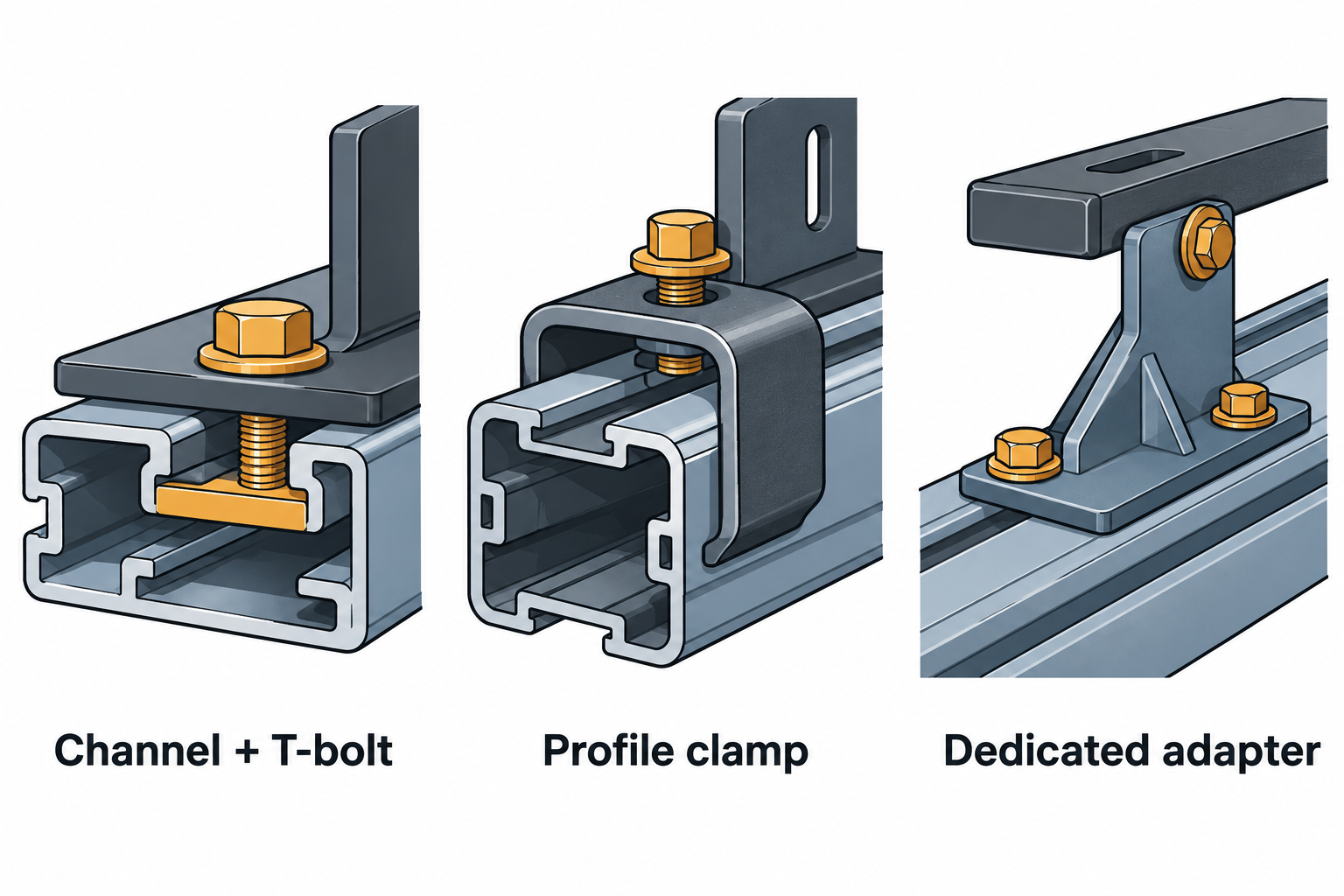
Product examples show why the details matter. Thule’s Caprock Crossbar Kit lists a maximum crossbar width of 95 mm and a height range of 17 to 46 mm for its own attachment route. Thule’s separate Caprock Cargo Box Kit uses two 20 mm T-track bars and four brackets. These are named kit interfaces, not dimensions that apply to every platform accessory.
Front Runner’s RRAC169 awning quick-release information identifies the Slimline II’s 50 mm side profile and M8 accessory rail for that named mount. Front Runner separately describes where its RRAC031 support can sit on Slimline II perimeter profiles where the channel runs. Those statements do not establish either accessory’s load rating or fit on other platform brands. A Yakima New Zealand listing for a separate 2026+ assembled LockNLoad generation describes its own 21 mm accessory slots. Treat that as generation- and market-specific; do not transfer the dimension to another Yakima generation or manufacturer.
Check positions and clearances
Mark the locations required by the accessory manual and the available locations on the platform. Check distance between supports, edge distance, permitted overhang, and any direction of travel specified by the manufacturer. Confirm that bolts can be inserted and tightened, that a clamp has the required room, and that the item clears the hatch, doors, roof glass, antenna, lights, and other equipment.
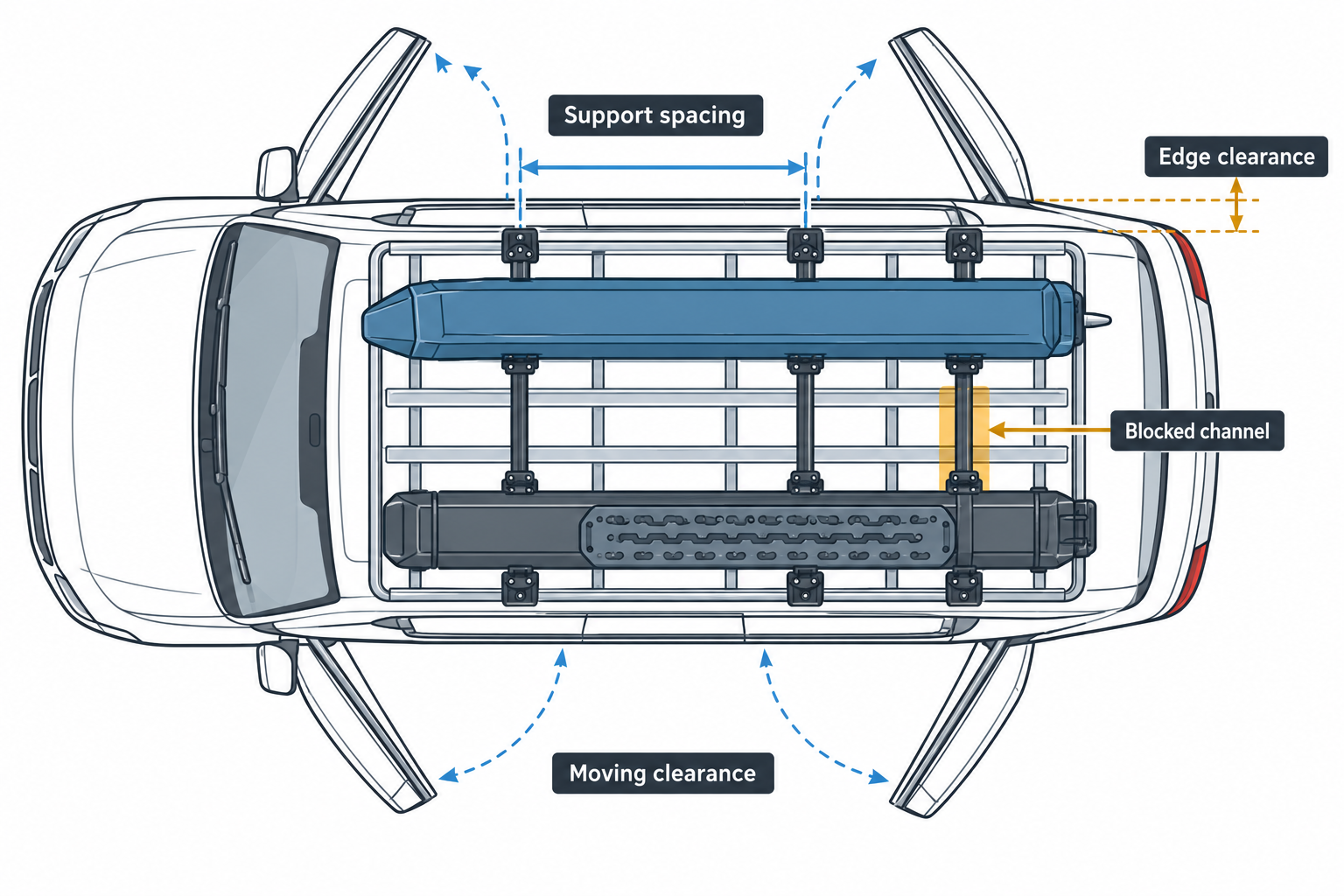
Also consider how the accessory changes the whole layout. A bracket may block a channel section needed for another item. A long item can extend past the platform or vehicle, and a raised accessory can change total height. Check the manufacturer’s restrictions for the exact platform and accessory rather than assuming that unused-looking space is available.
Verify load and compatibility separately
Physical attachment is only one part of compatibility. Check that the platform maker names the accessory, adapter, or interface. Then check the vehicle-specific mounting system and read the instructions for each part. The platform’s own rating does not establish how much the vehicle roof, rails, legs, crossbars, or accessory can carry. Account for the installed hardware and use the limit definitions in the applicable vehicle and product instructions.
Before installation, record the platform and accessory model numbers, bracket and fastener part numbers, support positions, and measurements. If the instructions do not specify the proposed channel hardware, spacing, or load, request confirmation from the manufacturers. For the complete vehicle connection, see platform mounts, rails, legs, and backbones; for mixed cargo and load limits, see how to load a roof platform.
Sources and product references
Use these references to check the current instructions and fit information for your market and exact setup.
- Thule Caprock Lprimary
- Thule Caprock Crossbar Kitprimary
- Yakima LockNLoad Systemprimary
- LockNLoad Platform, 2026+ assembled generationprimary
- Slimline II Rack Systemprimary
- Pioneer 6 platform 51 x 49primary
- Pioneer 6 platform 43 x 56primary
- RRAC031 Slimline II accessory channel placementprimary
- Caprock Cargo Box Kitprimary