Trace the complete connection from a vehicle roof or pickup mount to a platform, and verify the exact rails, feet, legs, hardware, and installation instructions.
On this page
Vehicle-Specific Roof-Platform Mounts, Rails, Legs, and Backbones
The platform is the top of a mounting chain, not the whole rack. A complete installation connects a particular vehicle or mounting surface to approved feet, rails, tracks, legs, brackets, and the platform. Identify every component in that chain before ordering. Similar-looking roofs and rails do not guarantee that the same kit fits.
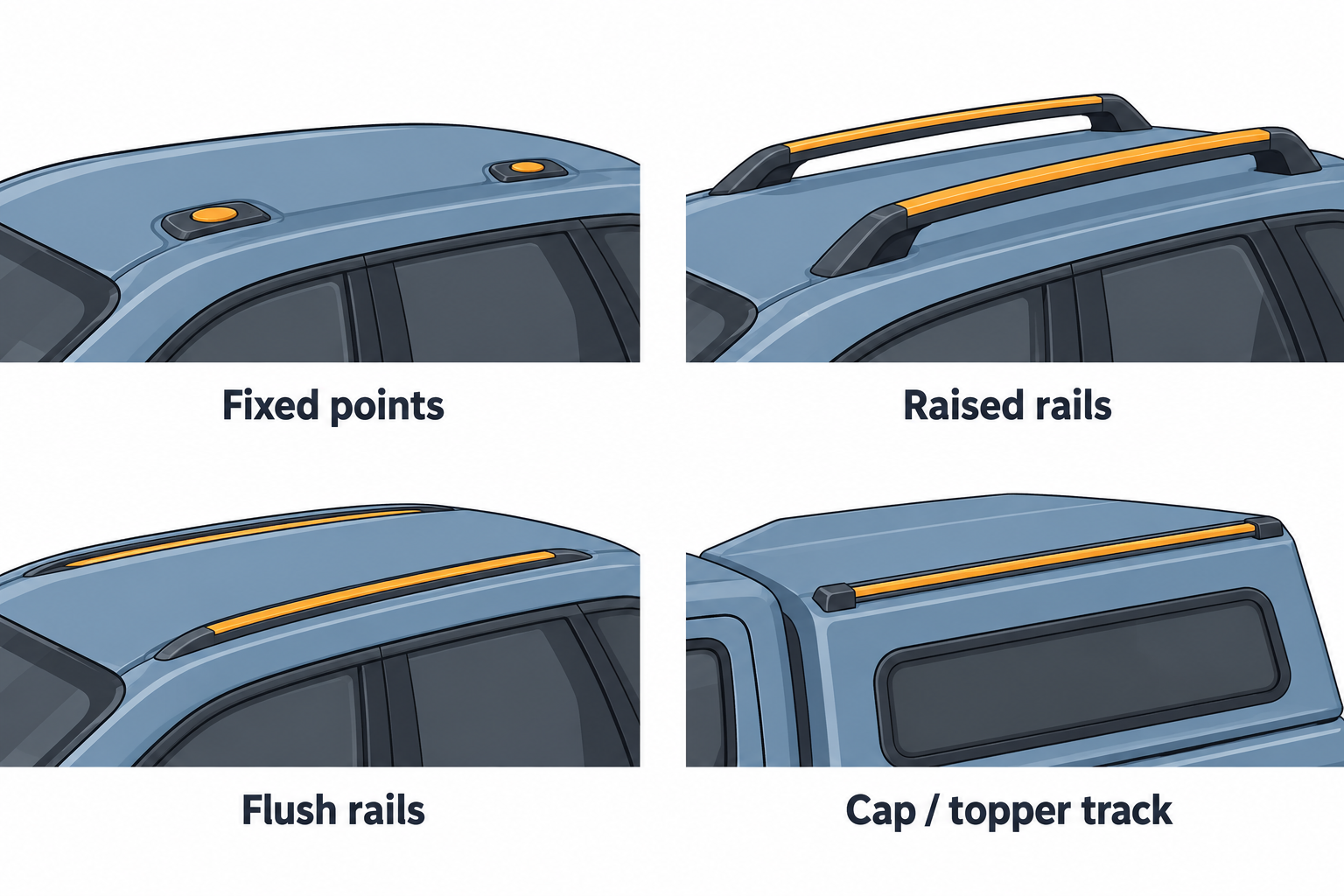
Identify the roof and mounting location
Record the vehicle’s model year, trim, market, and roof type. Note whether it has fixed mounting points, raised or flush rails, a track, crossbars, a pickup bed, or an aftermarket cap or topper. Also identify the platform model and generation. Use the manufacturer’s current vehicle selector to find an exact result for the vehicle and choose the mount route shown for that roof.
Do not substitute one surface for another. A platform designed to attach to crossbars is not thereby approved to bolt directly to roof rails. A rail mount for a pickup is not a passenger-car fit kit. A backbone or track system can distribute a rack through specific attachment points, but its vehicle application and installation remain configuration-specific.
Build the parts chain
Write the chain from the vehicle outward: vehicle points or supported rails; the correct fit kit, feet, track, or backbone; legs or platform supports; the platform; then any accessory brackets. Check each part number and the relevant instruction. Confirm that the selected platform can attach to the specific legs or base system and that any adapter is listed for both sides of the connection.
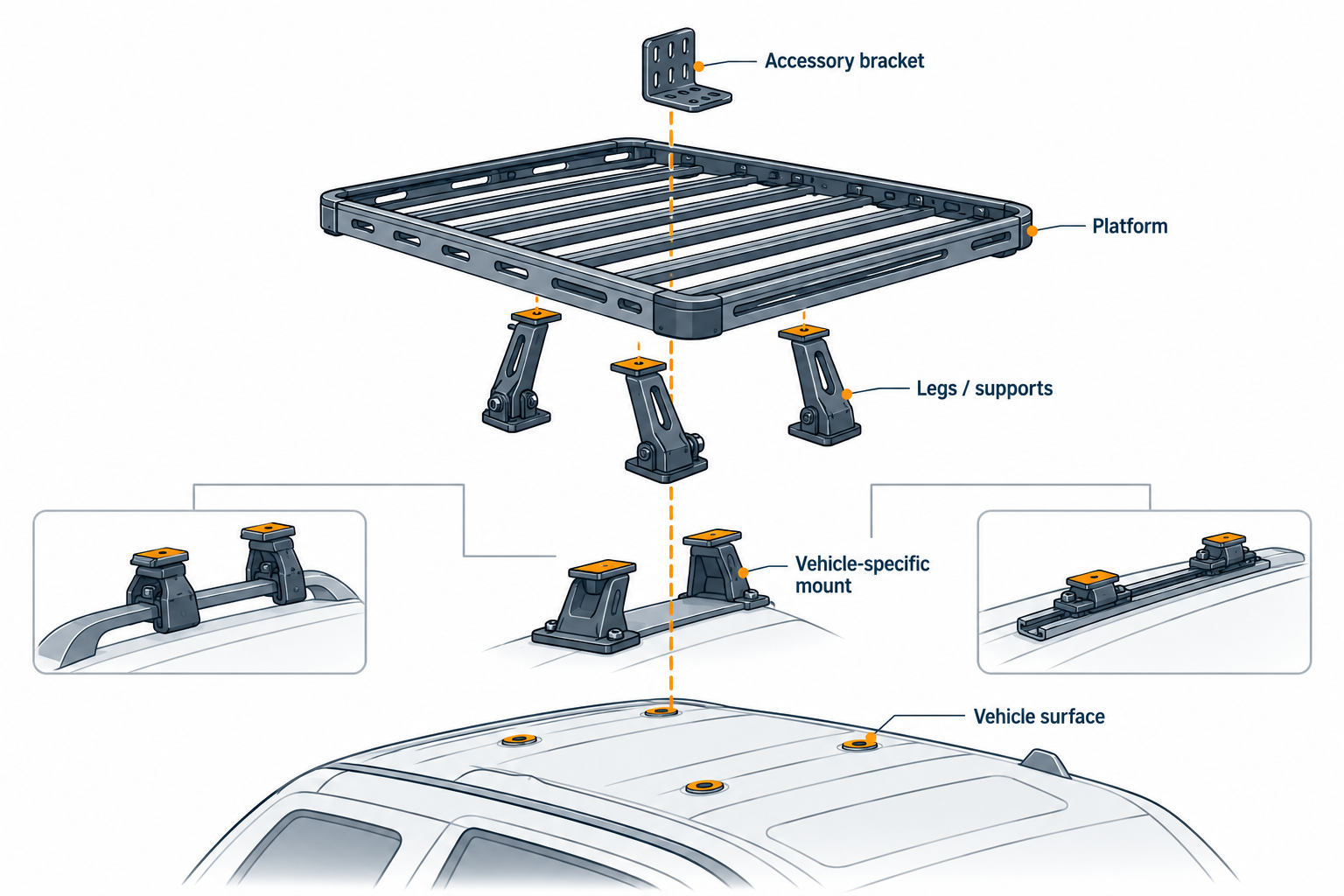
Examples show how narrowly a listing can apply. Thule’s Caprock rail mount 181004 page lists Tacoma Crew Cab Pickup model years 2005–2023 and gives the mount’s own mass. The listing does not identify every trim or bed configuration or establish a complete vehicle roof limit. Yakima’s LockNLoad system information lists routes using clamps on supported existing crossbars or named tower and SL adapter combinations. The exact platform, bars, towers, adapter, and vehicle selector result still matter.
Front Runner’s UK Slimline II flush-rail kit example is a named kit that requires compatible existing OEM rails and is described as removable without drilling. It is a UK-market product example, not a general rule for factory rails in the United States or Canada. Rhino-Rack’s JC-05420 listing describes a Pioneer platform with RLT600 legs in a cap or topper system. That product composition does not establish that any cap, topper, or pickup bed is compatible; confirm the current fit chart and installation for the exact mounting surface.
Treat installation and adjustment as part of fit
Read all instructions before drilling, removing trim, positioning a backbone, or changing support locations. Follow the stated hardware, order, torque, hole locations, and check procedure for the exact kit. Do not copy a measurement or torque from a different platform size, vehicle generation, or rack family. If a mounting route requires permanent work and its exact location or procedure is unclear, stop and have the manufacturer or a qualified installer resolve it.
Position matters after the parts fit. A platform can have limits on support spacing, overhang, or the location of loads. Check hatch opening, doors, roof glass, antennas, lights, and vehicle height with the planned platform and equipment installed. Keep the final locations within the product-specific instructions.
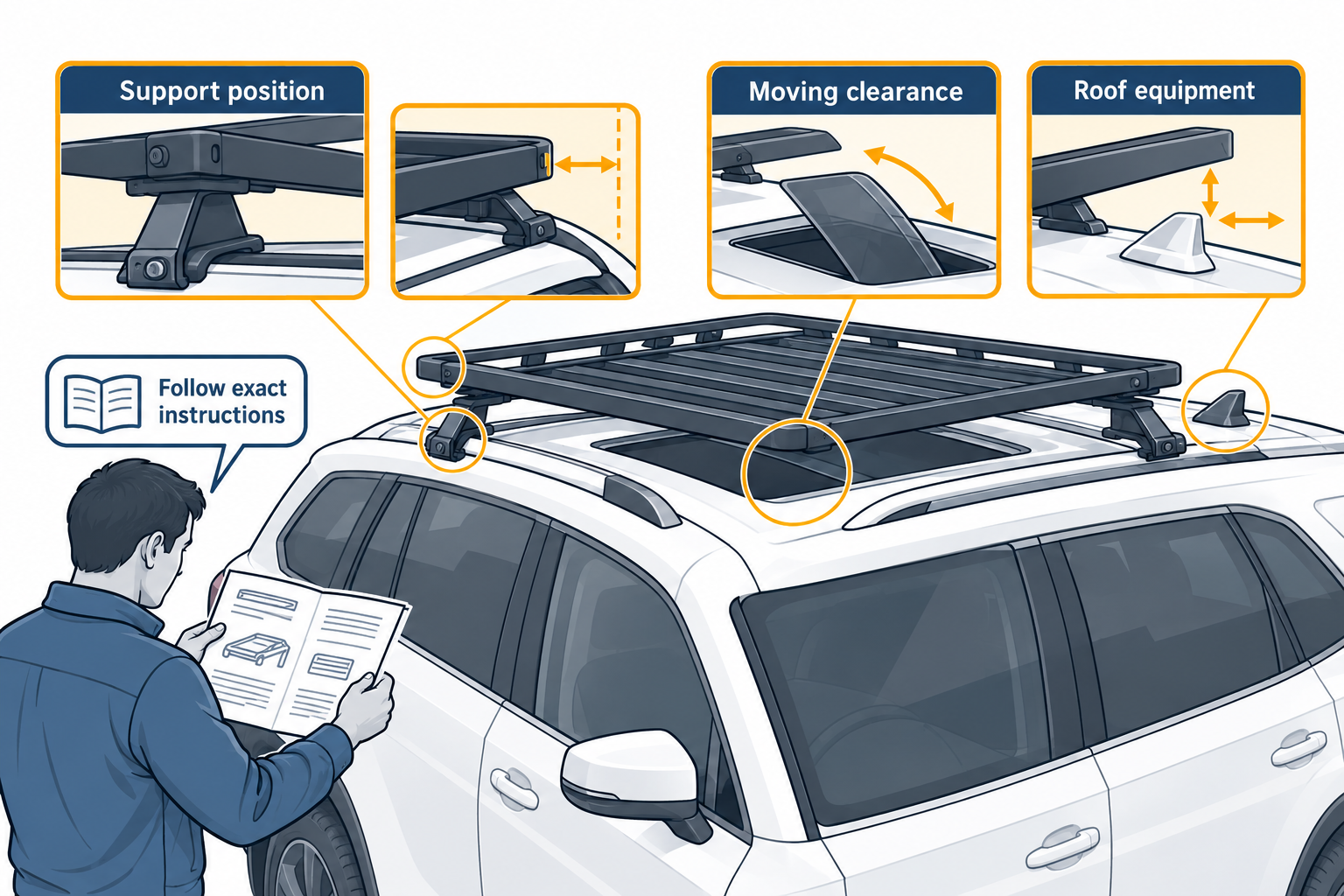
Recheck the complete system
Use the vehicle manual and the rack manufacturer’s current vehicle-selected documents together. Verify that the platform, mount, and accessories are all named or supported for the setup, and that the load definition accounts for the installed system. A fit result for one part does not certify the full combination.
Before driving, confirm that every fastener and support is installed as instructed, accessories are secured to the correct interface, and nothing interferes with the vehicle. Follow the manufacturer’s recheck schedule, including any checks after initial use or off-road travel. For a pickup cap or topper, also see the cap and topper mounting guide. For platform-specific hardware and clearances, see size, channels, and accessory interfaces.
Sources and product references
Use these references to check the current instructions and fit information for your market and exact setup.
- Thule Caprock Rail Mountprimary
- LockNLoad Systemprimary
- TrackTower Systemprimary
- Slimline II Flush Rail Roof Rack Kitprimary
- Pioneer 6 platform with RLT600 legs, cap/topper systemprimary
- Pioneer Series 6 Fitting Instructionprimary