Match a pickup cap or topper to its own rack hardware, attachment structure, and limits before choosing bars, a platform, or cargo.
On this page
How to Fit a Roof Rack to a Pickup Cap or Topper
A pickup cap or topper is a separate mounting structure. The truck’s bed-rail rating does not automatically apply to the cap roof, and a rack that fits one cap may not fit another cap from the same manufacturer. Identify the cap first, then follow a documented path for its roof material, tracks, gutters, mounting points, and reinforcement.
Identify the cap and its mounting surface
Record the truck’s year, make, model, cab, bed length, and market, along with the cap or topper maker, model, generation, and material. Check whether the intended rack attaches to factory-installed tracks, cap-specific tracks, gutters, a hard-top tonneau frame, or a through-bolted mount with an internal backing plate. These are different interfaces. A track on a cap is not proof that the cap structure supports a particular rack or load.
Look for the exact cap installation guide and rack fitting instructions. Confirm whether the selected mount is permitted on that model, whether a reinforcement or backing plate is required, and which leg, spacer, track nut, bracket, or kit belongs in the setup. If the documents do not identify the cap or attachment, do not treat a visual match as authorization to drill or load it.
Match the components to the cap
| Existing structure | What to verify before ordering |
|---|---|
| Cap with installed tracks | Track profile, fastener type, track rating, rack feet or legs, bar spacing, and approved cap model |
| Cap with designated gutters or rails | That the cap manufacturer provides this attachment and that the rack instructions name the matching interface |
| Through-bolted or backing-mount system | Cap material and reinforcement, approved hole locations, backing hardware, sealing, and installer requirements |
| Hard tonneau with integrated rack tracks | Exact cover model, rack-specific fit kit, truck bed, and whether the cover maker approves the combined load path |
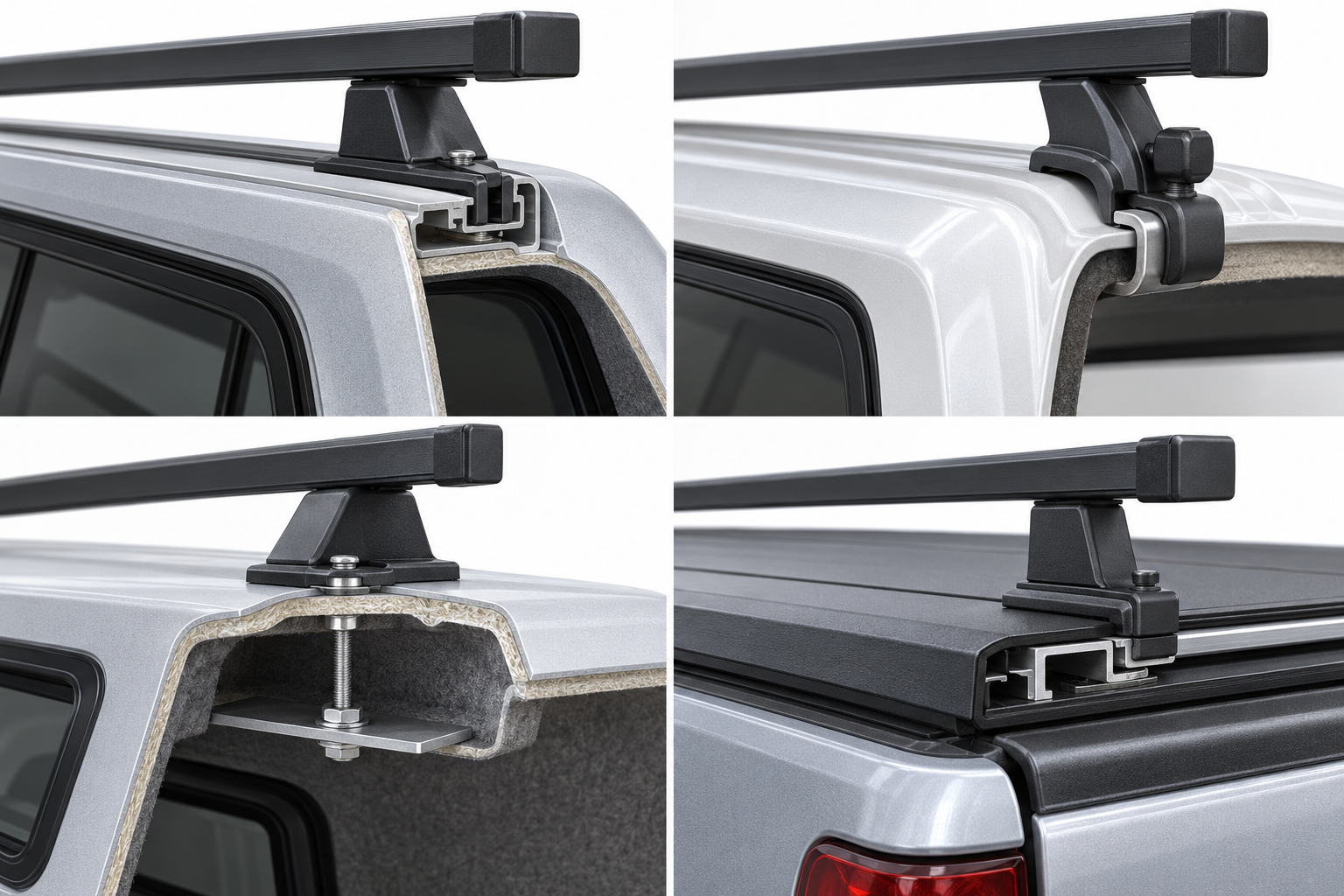
Some systems combine a platform or crossbars with legs and cap-specific mounts. Other products use a cover’s integrated T-slot or track. Confirm that the kit includes every required component; a platform or bar listing by itself may not include the legs, fit kit, or attachment hardware needed for your cap.
Custom mounting guidance is application-specific too. Yakima’s custom-solution guide separates mounting paths for shells, pop-tops, camper vans, and truck beds with covers, and recommends an authorized specialty retailer for safe installation. A custom product path does not approve an unspecified cap or modified structure.
Read the capacity label in context
Capacity statements can describe different things. One named system’s instructions may include the rack’s own mass, while another product page may state a static value without giving a driving limit. These values are not interchangeable and do not establish the capacity of an unspecified truck, cap, or accessory.
| Example from manufacturer documentation | Scope and limitation |
|---|---|
| Rhino-Rack QMCM01/QMCM02 RLT600 canopy instructions, Document R714, Issue 02 (2015): 100 kg / 220 lb maximum including 5 kg / 11 lb of rack-system weight for the stated fibreglass or reinforced canopies; the same instructions give a 50 kg / 110 lb maximum for off-road use. | Applies only to the named RLT600 canopy system and canopy types in those instructions. Verify the current revision and the lower vehicle or cap limit. |
| LEER’s NexCap product page states up to 660 lb of static rooftop capacity. | This is a static figure for the named cap product. The page does not state a driving limit; it also says exact compatibility varies by vehicle and bed configuration. |
| The SNUGTOP owner’s manual states a 150 lb limit for factory-installed Yakima racks on SnugTop fiberglass caps. | The statement does not label the figure as static or dynamic and does not apply to every aftermarket rack. The manual says bolt-plate reinforcement may be necessary for aftermarket systems. |
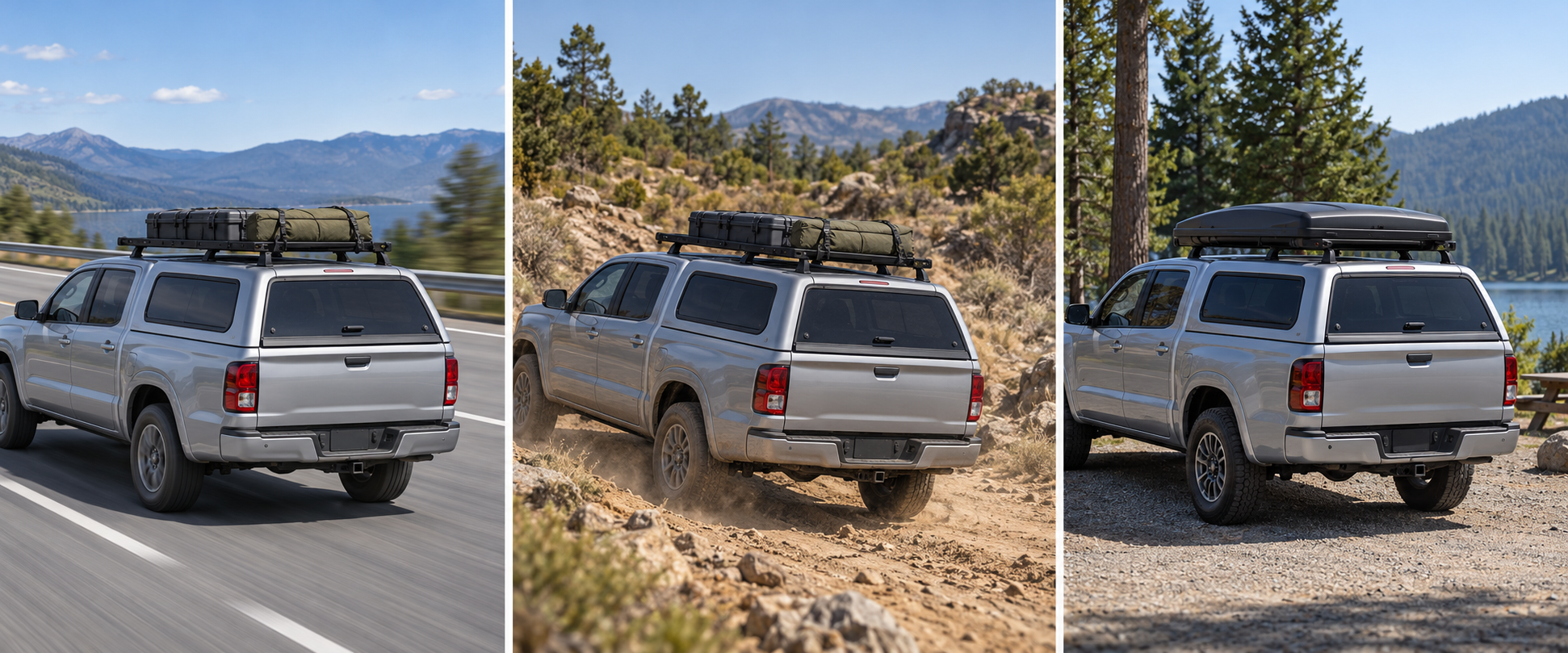
For your setup, compare the truck, cap, mounting hardware, rack, and accessory limits and follow each manufacturer’s definition of the number. If rack mass is included, do not count it again as available cargo; if the documentation does not explain whether it is included, ask before loading. Keep static, driving, and off-road conditions separate.
Confirm installation, clearance, and rechecks
Check the cap’s roof shape, rack height, crossbar spread, cab clearance, hatch or rear-window access, and any cargo that extends past the rack. The cap and truck bed may have different structural limits. A tool list or product photo is not permission to drill. Use only the exact fitting instructions and have a qualified installer assess structural work when the cap maker or rack maker recommends it or the attachment is unclear.
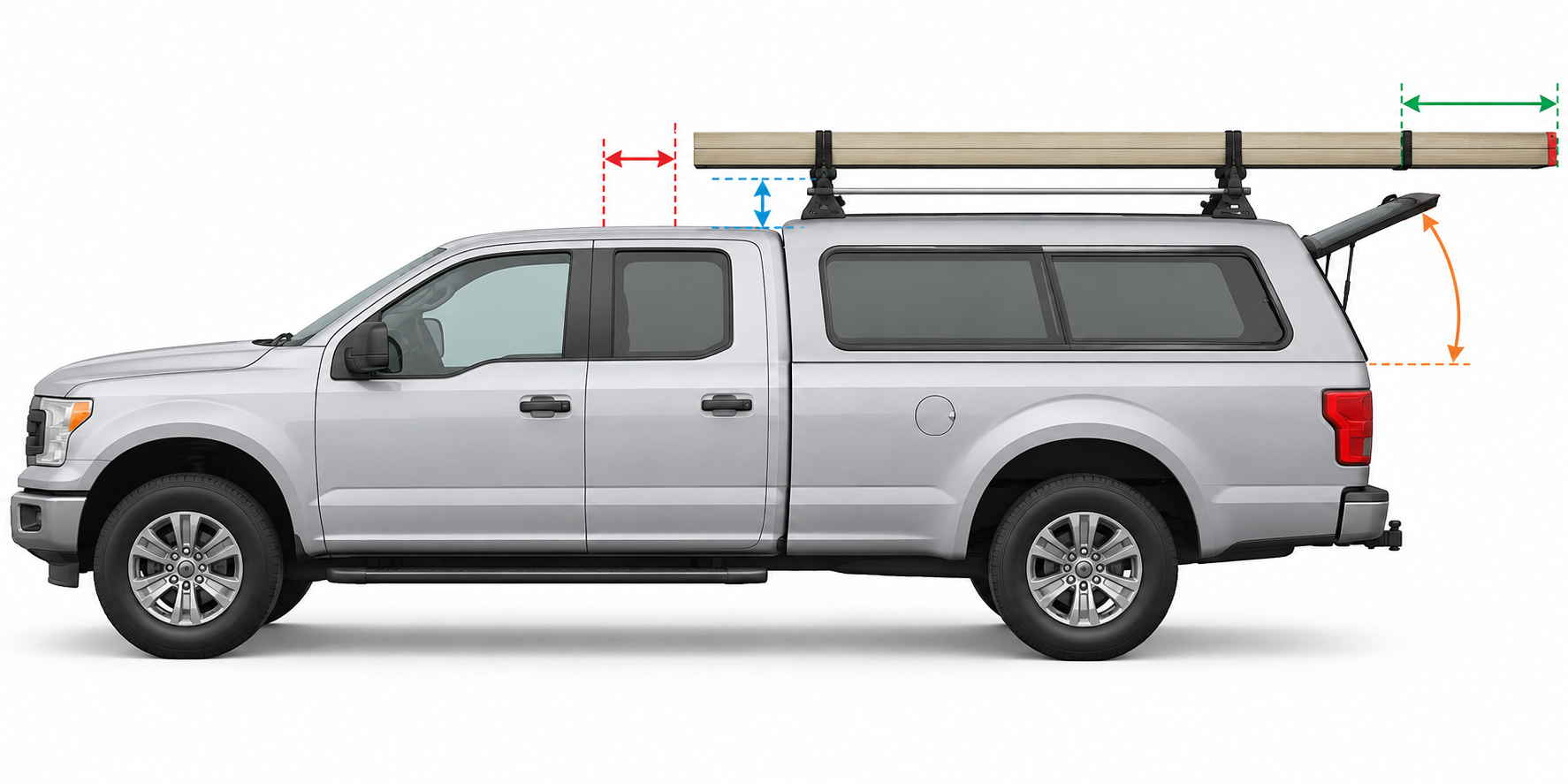
After installation, use the product’s specified fasteners, tightening method, and inspection schedule. Recheck the mounting hardware after the initial drive or refit when the instructions require it. Secure the load using the rack and accessory’s instructions; straps or load stops do not raise the system limit.
For the broader bed, rail, and tonneau decision path, see Pickup-Bed Rack Fitment. To identify the attachment family first, see Truck-Bed, Cap/Topper, Van, or Passenger-Roof Rack: Start With the Mount.
For rack systems listed specifically for DiamondBack HD and SE covers, see Rack Systems for DiamondBack HD and SE Covers.
Sources and product references
Use these references to check the current instructions and fit information for your market and exact setup.