Follow the named Caprock mounting route, verify the vehicle-specific parts, and match crossbar or T-track accessories to their own interface instructions.
On this page
Thule Caprock Mounting Routes and Accessory Fit
Caprock fit depends on the route between the vehicle and the platform. The platform model, mount or crossbar kit, vehicle roof, and accessory interface must all match their instructions. A Caprock product page is useful for identifying a named part, but it does not by itself confirm a complete installation on every vehicle.
Identify the platform and vehicle route
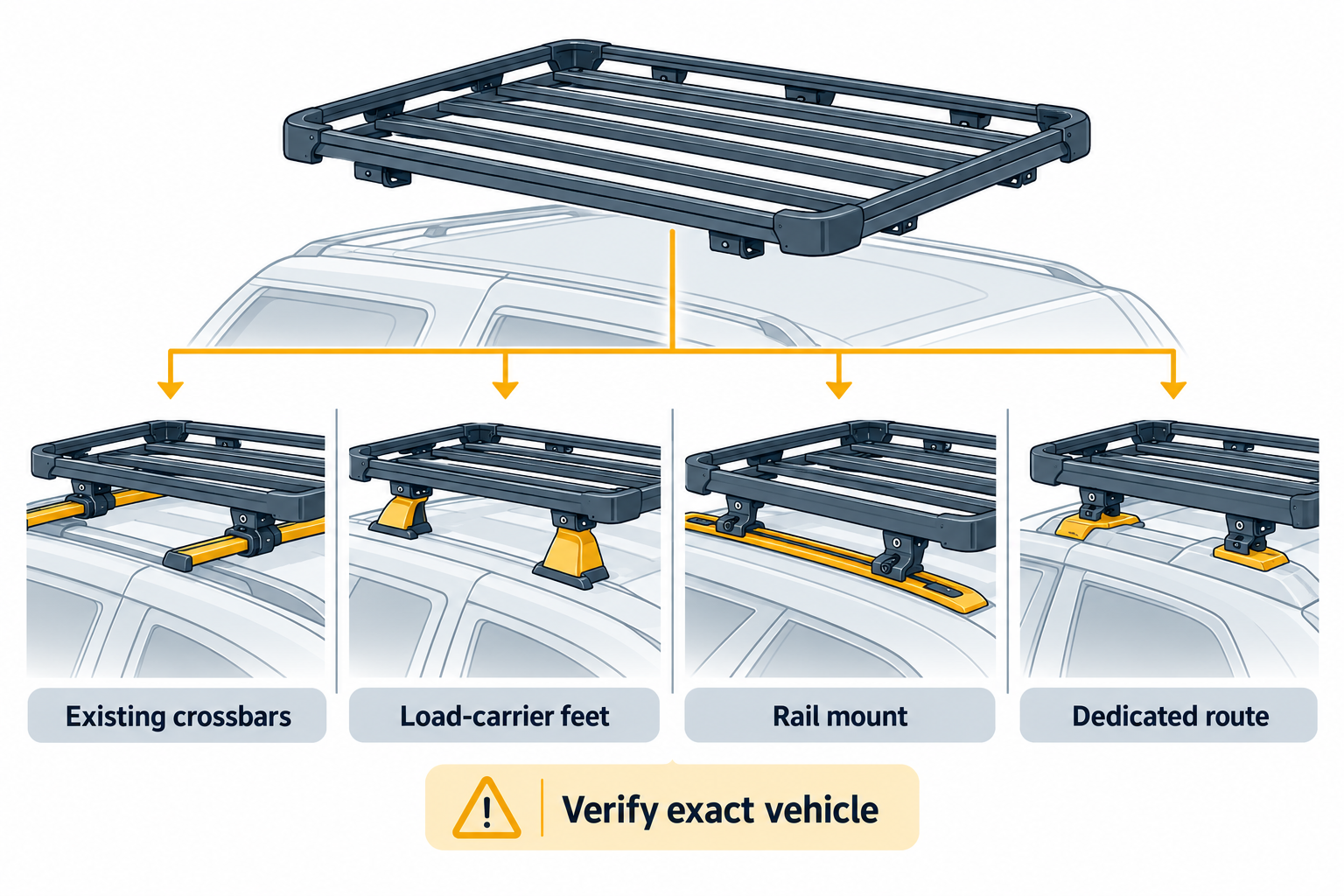
Start with the exact Caprock model and the vehicle’s year, trim, market, and roof hardware. Use Thule’s current vehicle selector and installation documents to identify the full mounting path. Check whether the setup uses the named rail mount, XScape, load-carrier feet, or existing crossbars. Do not substitute a visually similar bar or rail unless Thule documents it for that route.
The US Caprock L product page, part 611003, lists a 59 by 74.8 inch platform, a 62.2 pound platform mass, and a product maximum of up to 330 pounds. These are platform specifications, not an allowance for a particular vehicle. The mount route can change both fit and applicable limits.
Thule’s attachment guide states maxima of up to 100 kg for the load-carrier-foot and existing-crossbar routes, and up to 150 kg for the named XScape and rail-mount routes. It also says that vehicle and roof-rack limits apply. The guide’s route figures should not be blended with the platform-page maximum or treated as a selected vehicle rating. Use the current instructions for the exact Caprock, mount, rack, and vehicle.
The Caprock rail mount 181004 listing names Toyota Tacoma Crew Cab Pickup model years 2005–2023 and gives a 17.5 pound mount mass. The listing does not resolve every trim or bed configuration, does not establish applicability to other markets, and is not a complete system or vehicle load rating. Confirm the exact vehicle selection and installation document before ordering.
Match an accessory to its interface
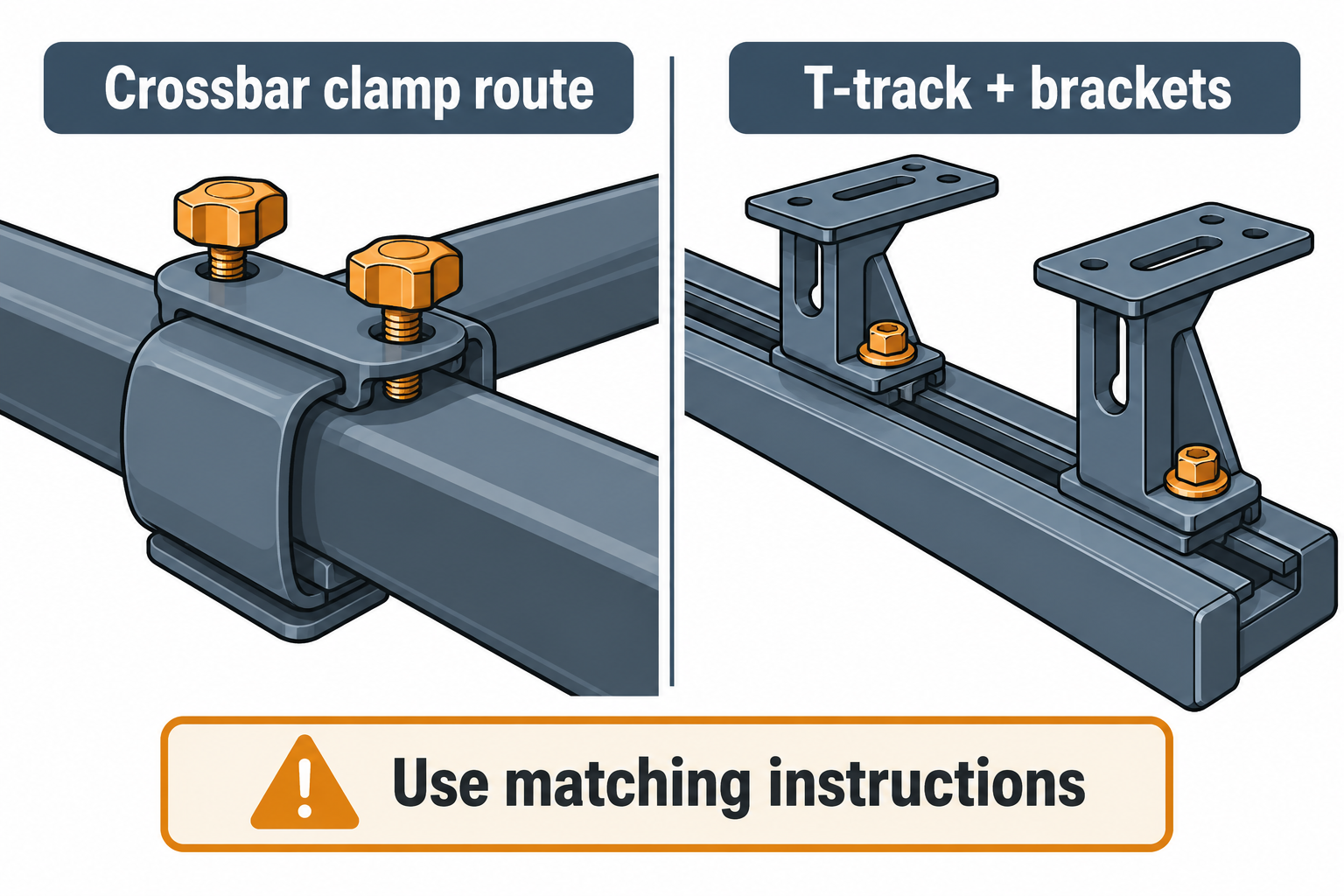
If the route uses Caprock Crossbar Kit 611300, the product listing gives a maximum crossbar width of 95 mm and a height range of 17–46 mm. Those measurements apply to that kit and its instructions. The kit’s fit chart is not a general endorsement of every bar profile, and its older guide should be checked against current matching instructions.
Caprock accessories can use different interfaces. Thule’s Cargo Box Kit 611330 lists two 20 mm T-track bars and four brackets. Confirm that the exact accessory model and kit are intended for the selected platform and route; a common-looking track dimension alone does not verify fit or load. Check the bracket positions, clearance, and whether other gear occupies the same part of the platform.
Resolve load and clearance before loading
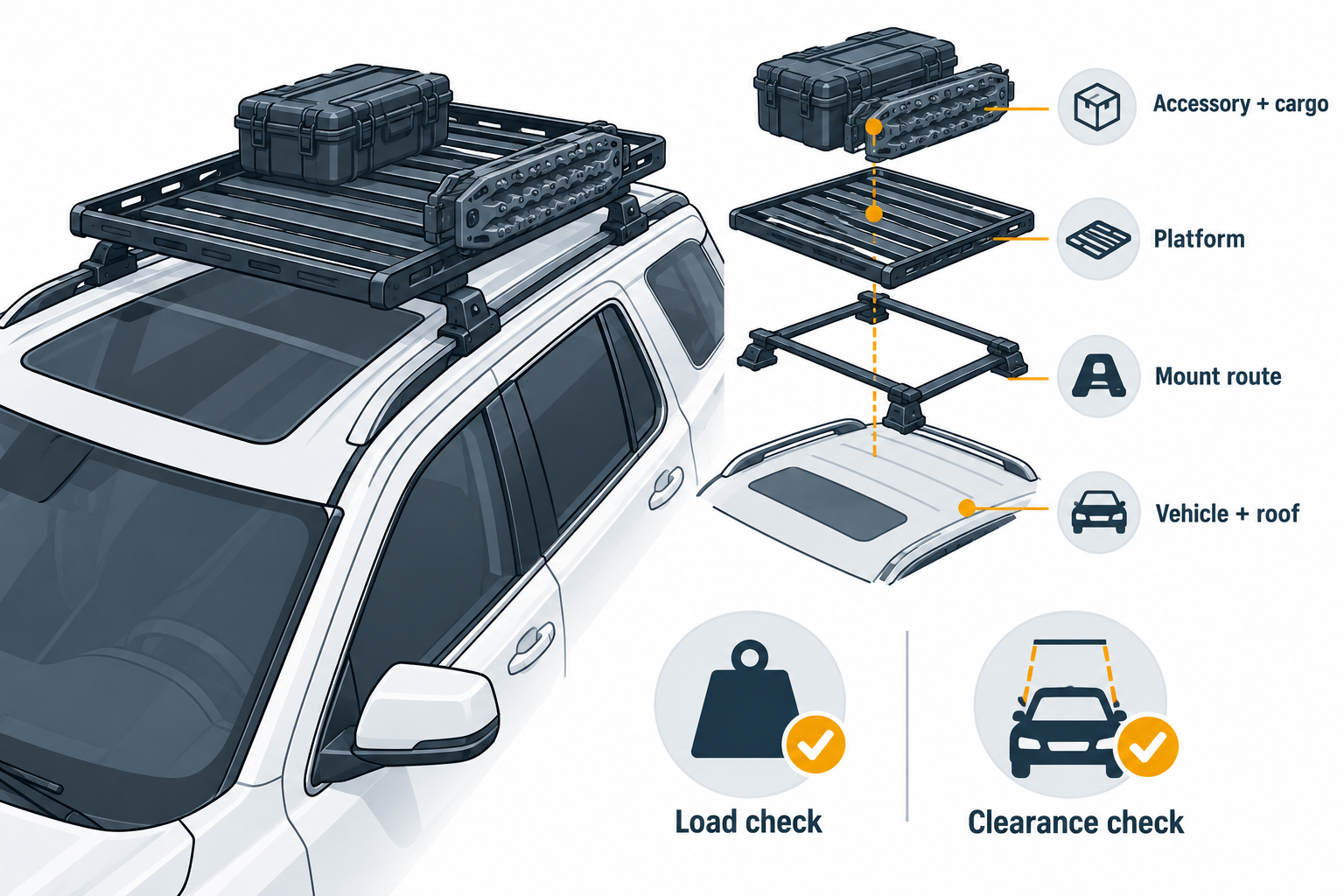
List the platform, rail or crossbar kit, mounts, accessories, and cargo. Read how the applicable documents define their limits and account for system mass where required. Check the vehicle manual for roof-load limits and restrictions. Do not use the platform maximum as cargo capacity or assume that a higher route maximum overrides a lower vehicle or rack limit.
Verify hatch and door operation, roof-glass clearance, antennas, lights, total height, channel access, fastener engagement, and accessory support locations. If the intended route or mixed accessory arrangement is not documented, ask Thule and the vehicle maker to confirm it before installing or loading.
For general interface checks, see platform size and channel fit. For the complete vehicle-side component chain, see platform mounts, rails, legs, and backbones.
Sources and product references
Use these references to check the current instructions and fit information for your market and exact setup.
- Thule Caprock Lprimary
- Thule Caprock Crossbar Kitprimary
- Caprock Crossbar Kit instructionsprimary
- Caprock attachment guideprimary
- Thule Caprock Rail Mountprimary
- Caprock Cargo Box Kitprimary